Featured Course
Closed Captioning for Beginners
Learn how to create closed captioning and subtitles like a pro
What You Will Learn
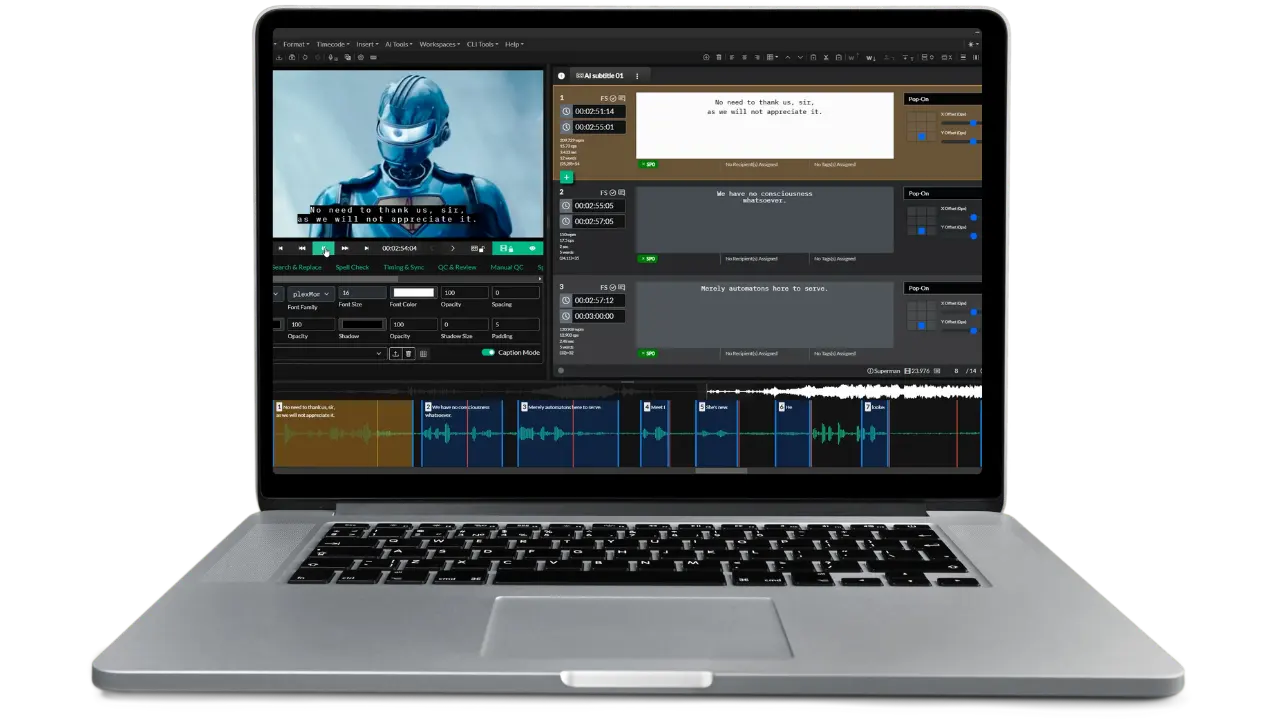
In this free course, we walk you through how to create closed captioning and subtitles for video using Closed Caption Creator.
Introduction
Welcome to closed captioning for beginners. In this course you'll learn how to create subtitles and closed captioning for video. We'll start by teaching you the different ways you can transcribe your video by converting the audio to text.
Audio & Video Transcription
In this video we're going to walk you through how to transcribe your video. Transcription is the process of taking the audio and converting it to text. This can be done manually by a person, or automatically using the power of AI.
Timing & Sync | Caption Spotting
Spotting is the step in your closed caption workflow where you assign timecodes to the start and end of each caption event. This process is also known as cueing, time coding, or timing. There are many ways to achieve the same result. Our goal is to have the captions appear on screen in sync with the audio.
Timing to Shot Changes
Learn how to effortlessly synchronize your closed captions and subtitles with shot changes using Closed Caption Creator. This tutorial demonstrates the easy steps to automatically detect shot changes and then snap your caption timings precisely to these edits for a professional and seamless viewing experience.
Finding & Fixing Errors
Creating accurate captions can be challenging, especially when following strict style guides. In this video, we’ll teach you how to identify and correct common caption errors using Closed Caption Creator’s powerful tools.
Exporting Subtitles & Closed Captioning
In the last two parts we walked you through how to transcribe and caption your video. In this part we'll be discussing how to export your work.
Next Steps
Thank you very much for watching our Captioning for Beginners course. We truly hope you've learned something about creating video subtitles. If you want to try captioning your own videos, we encourage you to sign up for a free trial of Closed Caption Creator by visiting our pricing page.
Ready to get started?
Sign up for a free 7-day trial of Closed Caption Creator and receive access to our video tutorials and courses.
Create closed captioning, subtitles, transcripts, and audio descriptions all in one application. Closed Caption Creator is made for broadcast and captioning teams who are committed to delivering high-quality, accessible video. Sign up now, or contact us for a live demo.