Solution Use Case
Closed Caption Editing
Create perfect closed captioning & subtitles
Trusted by global teams








What software do professionals use to create broadcast closed captions?
Closed Caption Creator is a timed-text editor for web and desktop used by broadcast and captioning teams to create, review, and deliver closed captions. It combines AI transcription in over 50 languages, manual timing and sync tools, automatic QC, and export to more than 30 caption formats.
Closed captions vs. subtitles: what’s the difference?
Captions and subtitles both turn dialogue into on-screen text, but they serve different audiences and carry different requirements. Closed Caption Creator authors both from the same project.
| Closed Captions | Subtitles | |
|---|---|---|
| Primary audience | Deaf and hard-of-hearing viewers | Viewers who can hear but need another language |
| Dialogue language | Original program language | Usually translated from the source |
| Non-speech audio cues (speaker IDs, sound effects) | Included | Usually omitted |
| Assumes the viewer can hear the audio | No | Yes |
| Broadcast requirement | Required under FCC and EAA rules | Typically a localization choice |
How It Works
From transcript to broadcast-ready captions
Four steps to create, check, and deliver closed captioning at a professional standard.
STEP 1
Transcribe
Generate closed captioning automatically with AI transcription in 50+ languages, or caption manually with playback shortcuts.
STEP 2
Edit & Time
Refine text and timing in the intuitive timed-text editor, with frame-accurate playback and custom keyboard shortcuts.
STEP 3
QC
Catch issues with Realtime Error Detection and custom Style Guides before anything leaves your desk.
STEP 4
Deliver
Export in any of 30+ caption and subtitle formats, or embed 608/708 closed captioning for broadcast.
- 30+Caption and subtitle formats supported
- 50+Languages supported by automatic captioning
- 608/708Broadcast closed captioning standards supported
A modern editor made for professionals
Edit closed captioning and subtitles using our intuitive timed-text editor available for both the web browser and desktop.
Closed Caption Creator is one of the best solutions for creating and reviewing closed caption files. Collaborate seamlessly with your team and ensure 100% accuracy for broadcast-ready captions.
- Automatic Captioning & Sync
- Custom keyboard shortcuts
- Import and export script files
- Supported formats: SRT, VTT, SCC, XML, TTML, and more
- Frame-accurate playback
- Project Sharing & Collaboration
- Available for desktop and web
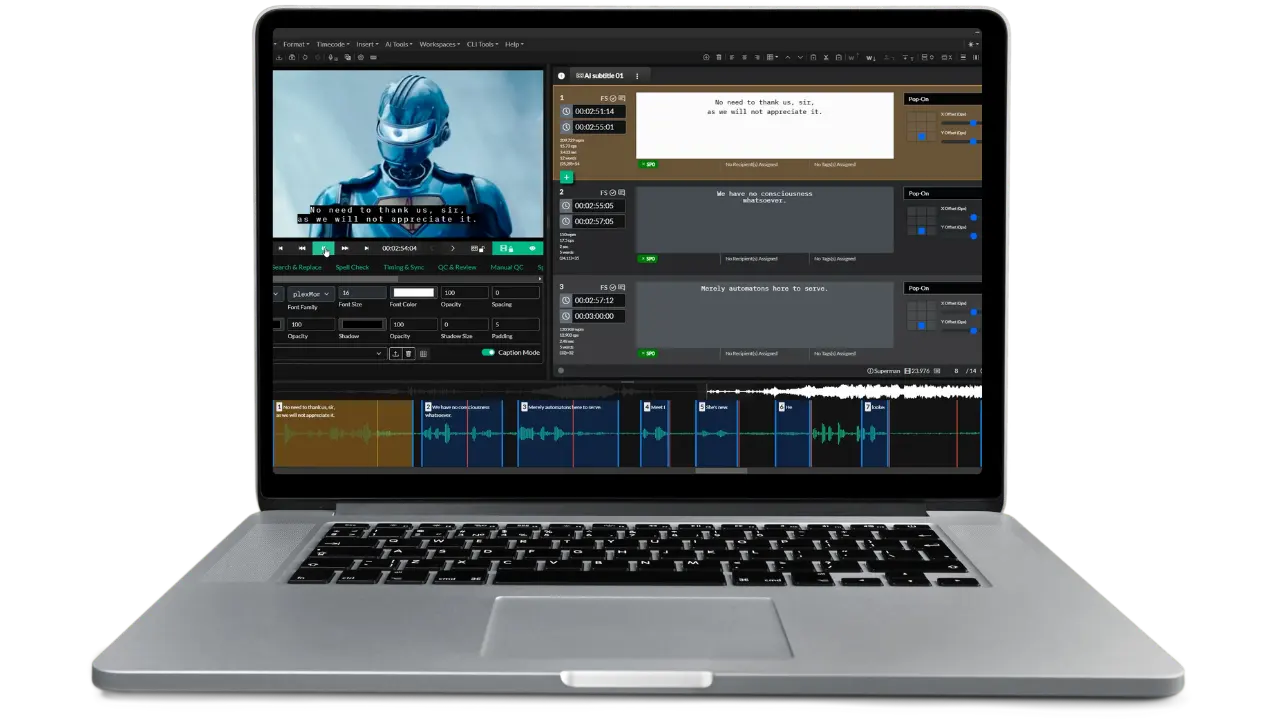
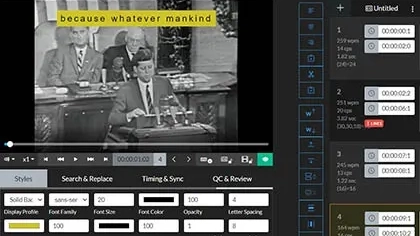
Create
Easily transcribe audio and video files
Automatic Captioning
Generate subtitles and closed captioning with just a few clicks, harnessing the power of AI. Support for over 50 languages.
Manual Transcription
Custom keyboard shortcuts help control media playback while you transcribe dialogue in real-time. Short forms and automatic replacement help save you time by typing repeated terms and names.
Timing & Sync
The dedicated Timing and Sync tools make it easy to spot captions. Sync captions and video by holding down a single key, or set shortcuts to mark the in/out points of Events. Simple and familiar for experienced captioners.
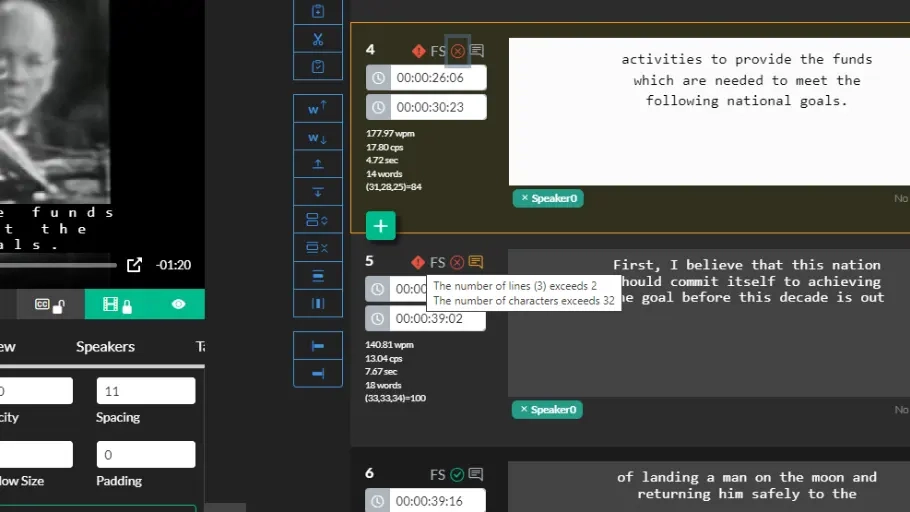
Review
Automatically find and fix caption errors
Realtime Error Detection
Real-time Error Detection (RED) alerts help notify users of issues while authoring captions. Easily spot problems with line length and reading rate to ensure 100% accurate, high-quality captions.
Custom Style Guides
Style Guides allow users to take full control over the QC and Review process. Filter caption Events based on errors, tags, positioning, and advanced format options. Identify Events with extra whitespace or multi-line captions that could fit on a single line.
Notes, Tags, and Approvals
Bring clarity to your QC and Approvals process with custom tags, notes, and pass/fail checkboxes. Notes and tags added in a Team Project can be shared with the original author for further review.
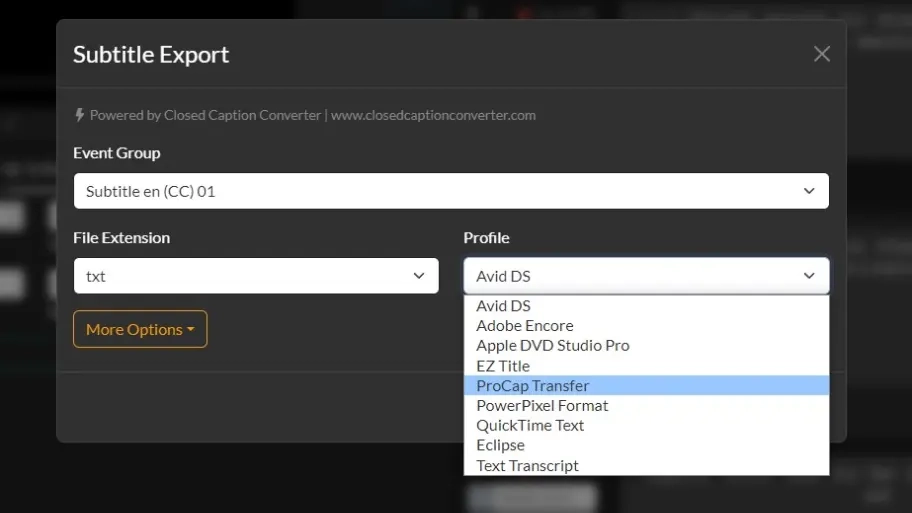
Deliver
Export your work in any format
Sidecar Caption Files
Create sidecar caption files in any format you require. Closed Caption Creator supports over 30 different formats, including SRT, WebVtt, SCC, TTML, PAC, and many more.
Burnt-In Subtitles (Open Captions)
Export videos with open captions (burnt-in subtitles) for easy uploading to social media. Update the position of subtitles, change the formatting, and even import your own custom fonts to match your brand.
Embedded Captions (608/708)
Package broadcast-ready video files with 608/708 embedded closed captioning. Container support includes MOV, MXF, GXF, MP4, and more.
Closed Caption Creator For New Users
Learn how to create closed captioning and subtitles using Closed Caption Creator. Watch our comprehensive 4-part video course, where you'll learn the ins and outs of transcription, timing (spotting), and delivering accurate closed captions.
Watch Now
Ready to get started?
Sign up for a free 7-day trial of Closed Caption Creator and receive access to our video tutorials and courses.
Create closed captioning, subtitles, transcripts, and audio descriptions all in one application. Closed Caption Creator is made for broadcast and captioning teams who are committed to delivering high-quality, accessible video. Sign up now, or contact us for a live demo.
Switching from another caption editor? See how Closed Caption Creator compares to MacCaption, EZTitles, WinCAPS, Subtitle Edit, SubtitleNEXT, SyncWords, Happy Scribe, and Amara.
Closed caption editing questions
Answers to common questions about creating, timing, checking, and delivering closed captions and subtitles with Closed Caption Creator.
Closed Caption Creator creates sidecar caption files in over 30 formats, including SRT, WebVTT, SCC, TTML, and PAC. Broadcast delivery profiles cover systems such as Avid DS, Adobe Encore, Apple DVD Studio Pro, EZ Title, ProCap Transfer, and QuickTime Text.
Yes. Automatic captioning generates subtitles and closed captions from audio or video in a few clicks, with support for over 50 languages. Manual transcription is also available, using custom keyboard shortcuts that control media playback while dialogue is typed in real time.
Yes. The timed-text editor is available for both the web browser and desktop. The editor includes automatic captioning and sync, custom keyboard shortcuts, script file import and export, frame-accurate playback, and project sharing for collaboration. It also supports caption formats including SRT, VTT, SCC, XML, and TTML.
Dedicated Timing and Sync tools let captioners spot captions by holding down a single key to sync captions with video, or by setting shortcuts to mark the in and out points of caption events. The approach is designed to feel simple and familiar for experienced captioners.
Yes. Closed Caption Creator packages broadcast-ready video files with 608/708 embedded closed captioning. Container support includes MOV, MXF, GXF, MP4, and more. On Pro and Enterprise plans, embedding is charged at a flat $2.00 per file plus $0.40 per GB uploaded.
Yes. A free four-part video course, Closed Caption Creator For New Users, teaches transcription, timing and spotting, and how to deliver accurate closed captions. New accounts also start with a free 7-day trial that includes access to video tutorials and courses.