Closed Caption Creator vs. SubtitleNEXT
The SubtitleNEXT alternative where features aren’t sold one option at a time
SubtitleNEXT starts at €1,200 for an Explorer licence, then adds Spin, Live, Spectrum and Spark as separate purchases — each with its own annual maintenance line. Closed Caption Creator is one subscription.
Free 7-day trial · Cancel Anytime
What is the best alternative to SubtitleNEXT?
Closed Caption Creator is the closest alternative to SubtitleNEXT for teams that want predictable cost. SubtitleNEXT sells lifetime licences from €1,200 (Explorer) to €2,950 (Expert), then charges separately for options such as Spin, Live, Spectrum and Spark, plus annual maintenance on each. Closed Caption Creator is $25–$60 per month with support, updates and automatic captioning included.
What does a full SubtitleNEXT setup actually cost?
PBT EU sells a base licence and then a menu of options. Each option carries its own annual maintenance charge, so the running cost grows with every capability you add.
Source: PBT EU Shop, SubtitleNEXT pricing (verified August 2026)
-
Explorer — €1,200
The entry lifetime bundle: translation, spotting, QA, burn-in over video, multimedia and professional subtitling formats. Also available as a monthly rental at €70.
-
Expert — €2,950
Adds professional cinema formats and the fuller timed-text suite. The Novice tier below Explorer has been discontinued.
-
Spin — €480
Subtitle export for DVD, Blu-ray and other graphical formats, plus the Movie File Burn-in plugin.
-
Live — €600
Real-time subtitle editing. Spark, at €1,100, adds real-time output to external devices and systems.
-
Spectrum — €1,080
Subtitle export for cinema, digital and 35mm.
-
Annual maintenance
Charged per item: €442.50 for Expert, €180 for Explorer, plus €72–€165 for each option you own. A single support session outside maintenance is €250.
Is SubtitleNEXT worth it, and for whom?
SubtitleNEXT is a deep, well-regarded timed-text platform with reach into cinema and live workflows. The question is usually not capability but how the pricing model fits the way your team buys software.
Cinema and live reach
With Spectrum it exports digital cinema and 35mm subtitle formats; with Spin it handles DVD, Blu-ray and graphical formats; with Live and Spark it moves into real-time editing and output to external devices.
If you need cinema or live output, this breadth is real.
Closed Caption Creator does not export digital cinema packages, does not author Blu-ray, and does not do live subtitling.
Every capability is a line item
An Expert licence with all four options is €2,950 plus €480, €600, €1,080 and €1,100 — €6,210 up front. Annual maintenance across the same set adds roughly €930 per year.
The catch: you price the workflow, not the tool.
Adding a capability later means a new purchase and a new maintenance line, and upgrading Explorer to Expert is a further €1,750.
Closed Caption Creator
One subscription covering macOS, Windows, Linux and the browser. Captioning, subtitling, translation, transcripts, QC and team projects are plan features rather than separate purchases.
Published pricing: $25–$60 per month.
Audio description is the only paid add-on, and it includes text-to-speech with 750,000 characters per month.
Can I produce audio description in the same tool?
Yes, through the Audio Description plugin, which includes synthetic voicing. SubtitleNEXT is a timed-text platform — audio description is not part of its published option list.
The Voice Manager assigns synthetic voices to description events, previews the mix against the programme audio, and exports to MP3, WAV or FLAC. Extended Audio Description is supported for cases where the natural gaps are too short, and each plugin licence includes 750,000 characters per month of text-to-speech.
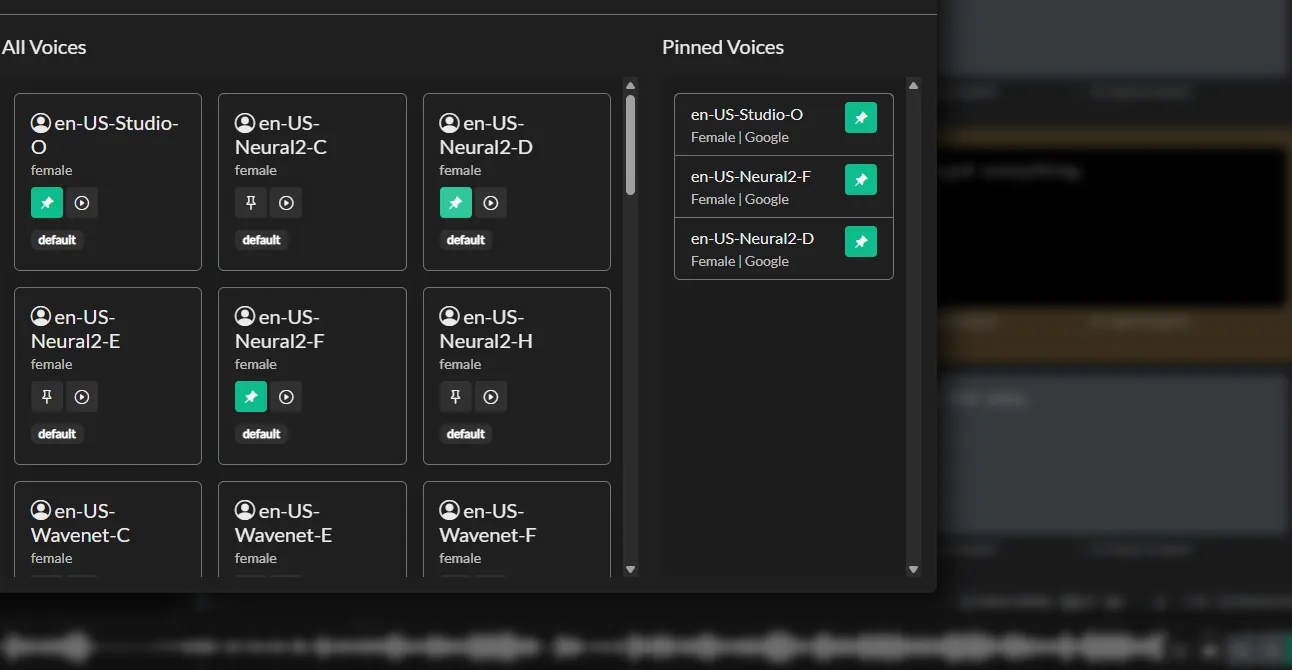
Assigning synthetic voices to audio description events, previewed against programme audio.
| Capability | In Closed Caption Creator | In SubtitleNEXT |
|---|---|---|
| Spotting, timing and QA | All plans | Explorer and Expert |
| Multimedia formats (SRT, VTT) | All plans | Explorer and Expert |
| Professional subtitling formats | Pro plan | Explorer and Expert |
| Burn-in over video file | All plans | Explorer and Expert |
| DVD, Blu-ray and graphical export | Not supported | Spin option, €480 |
| Cinema, digital and 35mm | Not supported | Spectrum option, €1,080 |
| Real-time subtitle editing | Not supported | Live option, €600 |
| Real-time output to devices | Not supported | Spark option, €1,100 |
| EIA-608/708 embedding | Pro plan | Not listed as an option |
| Audio description with text-to-speech | Optional add-on | Not supported |
| Machine translation | 500,000 characters/month on Pro | Included in the platform |
| Team projects and shared review | Pro plan, 1–25 users | Not published |
SubtitleNEXT reaches further into cinema, disc and live output; Closed Caption Creator reaches further into North American broadcast captioning, audio description and collaborative review. See the full format list.
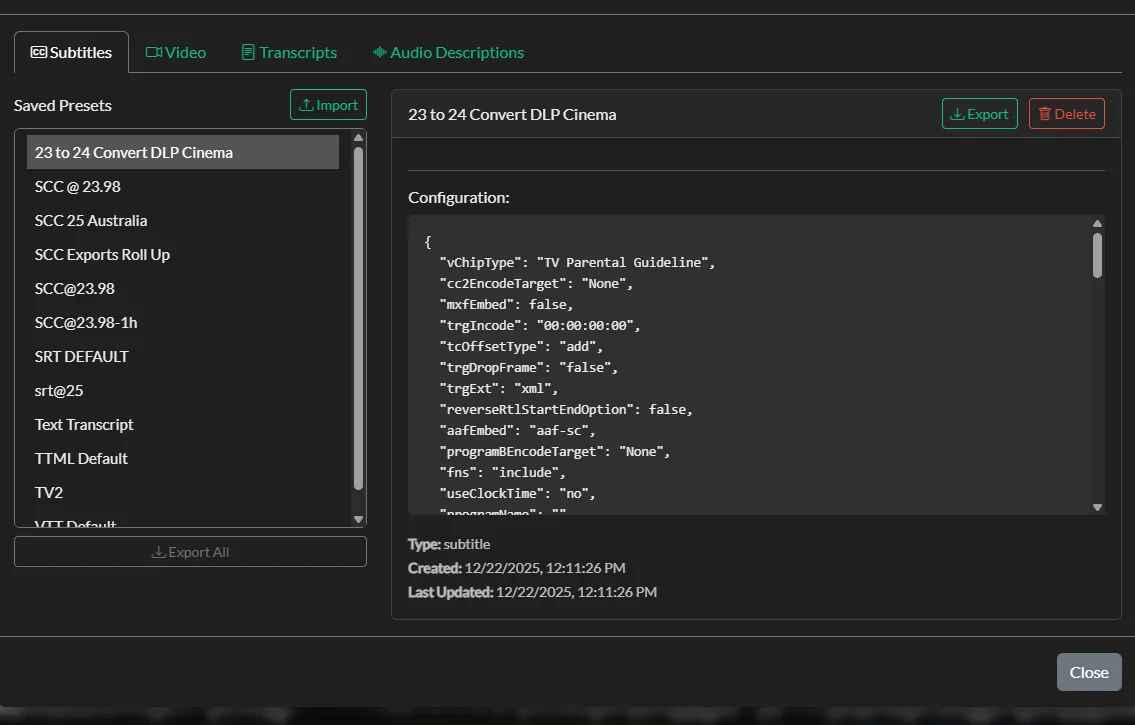
Delivery presets saved per client and applied across a batch.
Delivery formats without an option purchase
Subtitle files, embedded captions, transcripts, dialogue lists, CCSL spotting lists and project files all export from the same screen, on plans that publish their price.
Export presets store the format, profile and naming convention per client and run across a whole batch, so a delivery spec is configured once rather than per file.
One honest limitation
SubtitleNEXT's lifetime licences are genuinely permanent — if you stop paying maintenance, the software keeps running on the version you own. A Closed Caption Creator subscription stops working when it lapses. For teams that prefer capital purchase over an ongoing commitment, that difference matters more than the headline numbers.
Closed Caption Creator vs. SubtitleNEXT at a glance
SubtitleNEXT prices are taken from the PBT EU shop in August 2026 and are shown inclusive of VAT as listed. Closed Caption Creator prices are in US dollars.
| Closed Caption Creator | SubtitleNEXT | |
|---|---|---|
| Operating systems | Windows, macOS, Linux | Windows |
| Browser version | Yes, via Google Chrome | No |
| Licensing model | Subscription, monthly or annual | Lifetime licence, or monthly rental |
| Entry price | $25/month billed annually ($300/year) | €1,200 lifetime, or €70/month rental |
| Top tier | $50/month billed annually ($600/year) | €2,950 lifetime (Expert) |
| Cost with all capabilities | $600/year, plus AD add-on | €6,210 up front for Expert with four options |
| Annual maintenance | Included at every tier | €180–€442.50 per licence, plus per option |
| Support outside maintenance | Included | €250 per session |
| Upgrading tiers | Change plan at any time | €1,750 Explorer to Expert |
| Automatic captioning | 300–600 minutes/month included | Via integrated speech services |
| Audio description | Optional add-on, includes text-to-speech | Not supported |
| 608/708 broadcast embedding | Included on Pro; $2.00/file + $0.40/GB | Not listed |
| Cinema and disc formats | Not supported | Spectrum and Spin options |
| Live subtitling | Not supported | Live and Spark options |
| Free trial | 7 days | Pilot trial download |
Sourced from the PBT EU shop, verified August 2026. Cinema, disc and live output are areas where SubtitleNEXT does things Closed Caption Creator does not — if any of those are central to your work, it is the better fit.
What a three-year comparison looks like
A SubtitleNEXT Expert licence at €2,950 with €442.50 annual maintenance comes to roughly €3,835 over three years for one seat, before any options.
Closed Caption Creator Pro at $50 per month billed annually is $1,800 over the same period, including support, updates, automatic captioning, machine translation and team projects for up to 25 users.
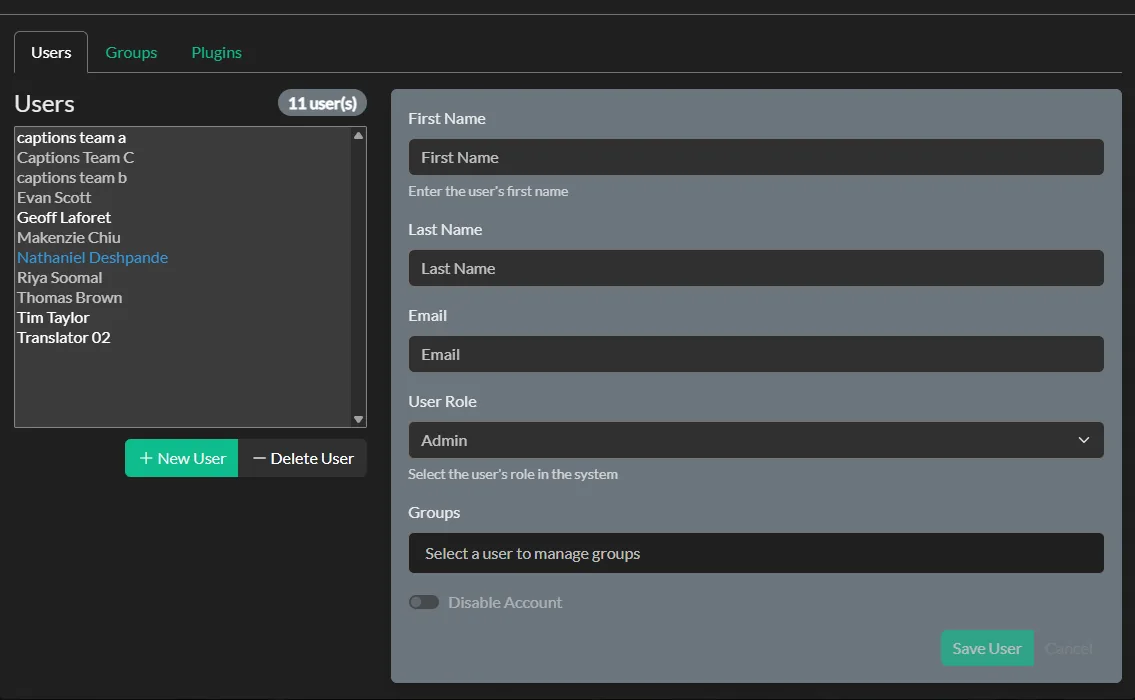
Team projects for 1–25 users, included on the Pro plan.
Why SubtitleNEXT users choose Closed Caption Creator
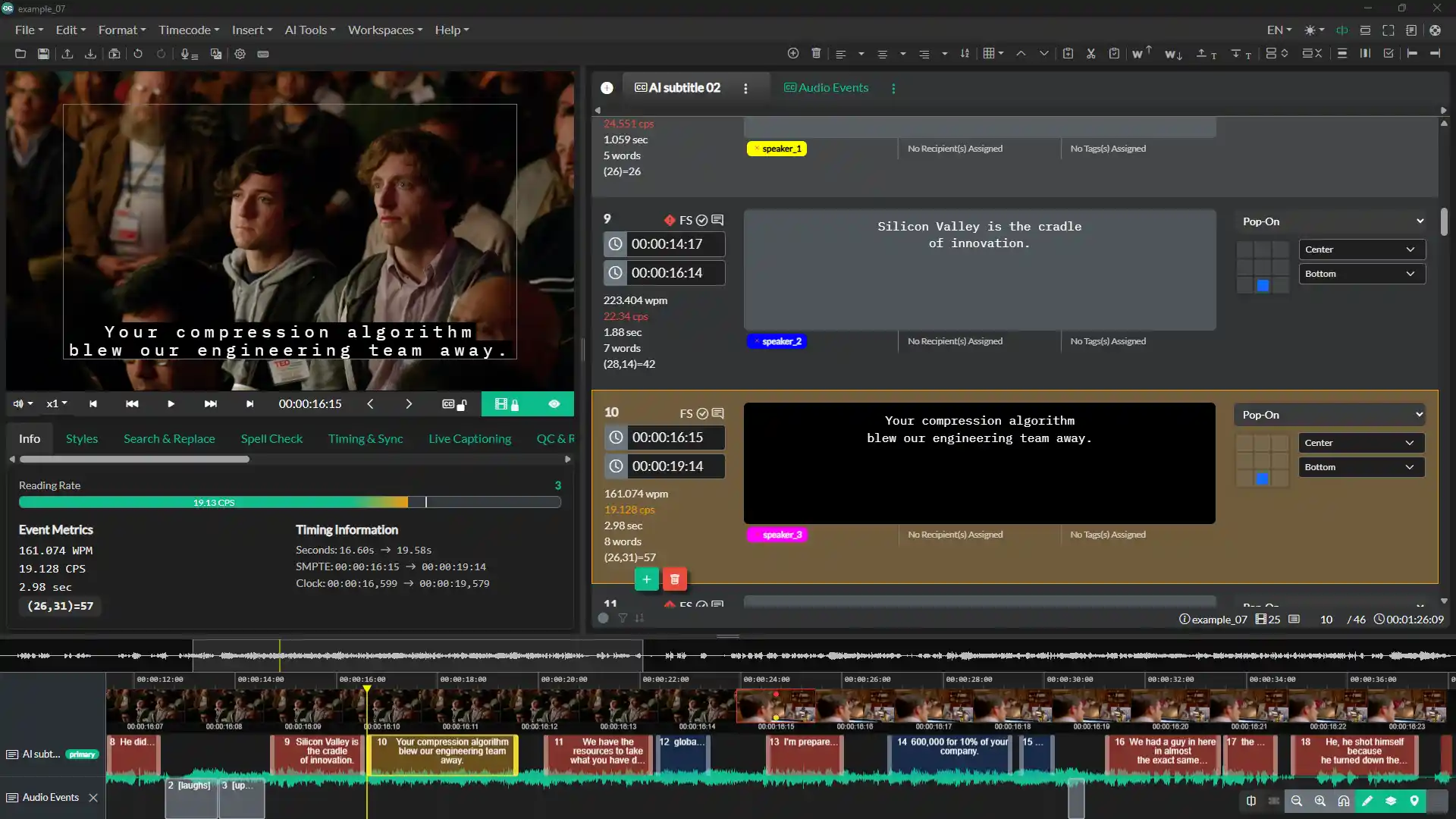
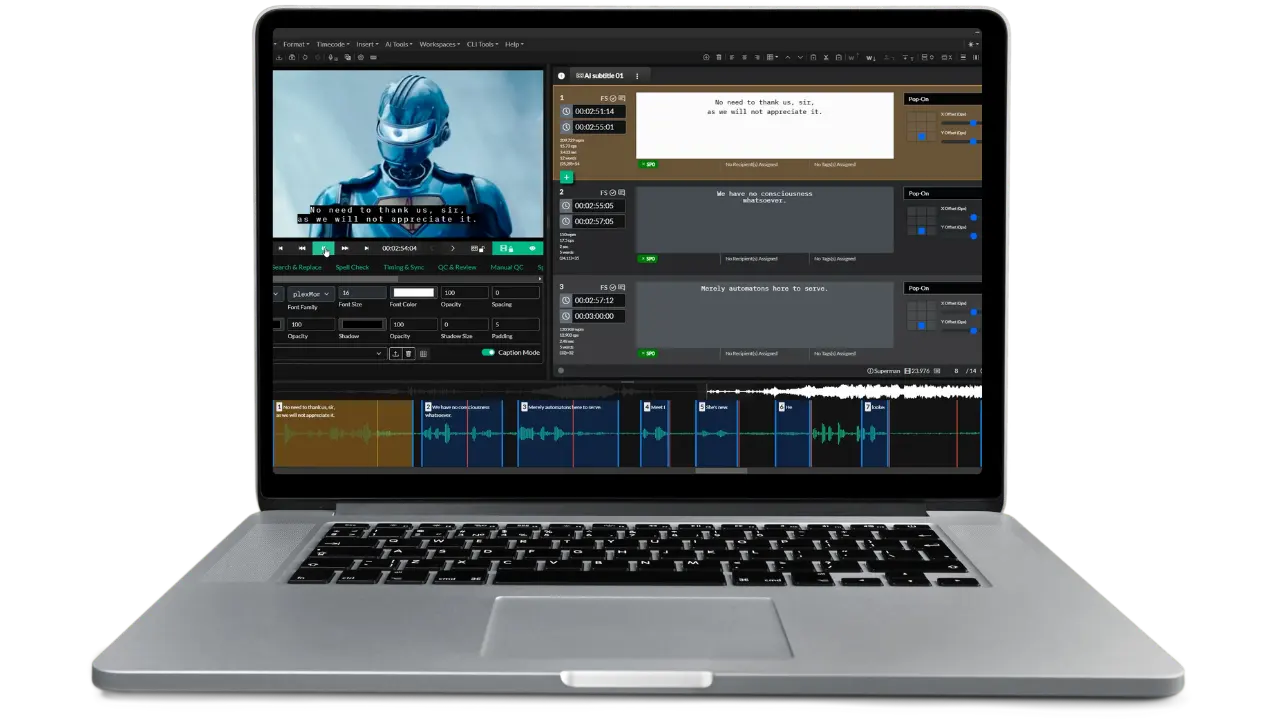
The editing workspace: video preview, event list with reading-rate metrics, positioning grid, and waveform timeline.
One line on the invoice
Captioning, subtitling, translation, transcripts, QC and team projects are plan features. No per-capability purchase and no maintenance line per option.
Runs where your team runs
Native builds for macOS, Windows and Linux plus a browser version, all covered by the same subscription.
Audio description included in the stack
The AD plugin adds described video and Extended Audio Description with synthetic voicing and 750,000 characters of text-to-speech per month.
SubtitleNEXT comparison questions
Common questions from teams weighing SubtitleNEXT against Closed Caption Creator.
A SubtitleNEXT Explorer lifetime licence is €1,200 and Expert is €2,950, as listed in the PBT EU shop. Explorer is also available as a €70 per month rental. Options are priced separately: Spin €480, Live €600, Spectrum €1,080 and Spark €1,100. Annual maintenance runs €180 for Explorer and €442.50 for Expert, plus €72 to €165 per option.
Translation, spotting, QA, burn-in over a video file, multimedia subtitling formats, professional subtitling formats, audio waveform and shot changes. Cinema formats, disc authoring, real-time editing and real-time output are all separate options.
It depends on the horizon. SubtitleNEXT Expert at €2,950 plus €442.50 per year of maintenance is about €3,835 over three years for one seat. Closed Caption Creator Pro at $50 per month billed annually is $1,800 over three years. Past roughly six or seven years, and with maintenance lapsed, the perpetual licence becomes cheaper.
SubtitleNEXT is a Windows desktop platform. Closed Caption Creator ships native builds for macOS, Windows and Linux plus a browser version, all under one subscription.
Yes, through standard interchange formats. Closed Caption Creator imports SRT, WebVTT, EBU-STL, PAC, Cheetah CAP, Cavena 890, TTML, DFXP, SCC and MCC among more than 30 formats.
No. Digital cinema, 35mm and Blu-ray or DVD authoring are areas where SubtitleNEXT's Spectrum and Spin options do things Closed Caption Creator does not. It exports image-based subtitles but does not build cinema or disc packages.
Closed Caption Creator does not do live subtitling. SubtitleNEXT offers it through the Live option at €600 and real-time output to external devices through Spark at €1,100. Closed Caption Creator is built for file-based post-production.
Closed Caption Creator does, through an optional plugin that includes synthetic voicing, Extended Audio Description and export to MP3, WAV or FLAC. Audio description is not part of SubtitleNEXT's published option list.
Closed Caption Creator includes shared team projects for 1 to 25 users on the Pro plan, with review, tagging and approval tools, and unlimited users on Enterprise. SubtitleNEXT does not publish a collaborative project model.
A SubtitleNEXT lifetime licence keeps working on the version you own; you lose updates and support. A Closed Caption Creator subscription stops when it lapses. That is a genuine trade-off in favour of the perpetual model.
Most subtitlers are productive within a day. Spotting, waveform navigation, shot-change detection, style rules and QA all have direct equivalents. Free video courses and full documentation come with every plan.
How Closed Caption Creator compares to other captioning tools
Price the whole workflow, not the option list
Start a trial and check whether the capabilities you would be buying as options are already included. Import an existing subtitle file and compare the spotting and QC results against your own specification.