Closed Caption Creator vs. WinCaps Q4
The WinCaps alternative built for 608/708 as well as EBU
WinCaps Q4 is a capable European subtitling tool, but it runs on Windows only and its format list centres on PAC, STL, 890 and EBU-TT. Closed Caption Creator adds native 608/708 embedding and runs on macOS and Linux too.
Free 7-day trial · Cancel Anytime
What is the best alternative to WinCaps?
Closed Caption Creator is the closest alternative to WinCaps Q4 for teams delivering North American broadcast captions or working outside Windows. WinCaps is a Windows desktop application focused on PAC, STL, 890 and EBU-TT delivery, with automatic timing in its Pro edition. Closed Caption Creator runs on macOS, Windows and Linux, embeds EIA-608/708 directly into broadcast video, and publishes pricing from $25 per month.
What do you actually get with each WinCaps product?
BroadStream splits WinCaps across editions and companion products rather than plans. Pricing is not published on the product pages — purchases run through their store, and corporate licensing is quote-based.
Source: BroadStream, WinCaps Q4 Standard product page (verified August 2026)
-
WinCaps Q4 Standard
The core creation package for Windows PCs, sold as a subscription with monthly, six-month or yearly terms. Covers PAC, STL, 890, SRT, WebVTT and Timed Text XML including EBU-TT.
-
WinCaps Q4 Pro
Adds a text-to-speech aligner for automatic timing in Dutch, English, Finnish, French, German, Italian, Spanish and Swedish, plus enhanced support for re-speaking techniques.
-
WinCaps Q-Live
A separate product for live subtitling, alongside WinCapsASR and Q-LiveASR for automated speech recognition.
-
Script Extractor
Sold separately. Analyses a Word script and extracts a dialogue list with speaker cues for import into WinCaps.
-
Corporate and academic
Concurrent network licensing shared across a team, optional network utilities and premium support — all arranged directly with BroadStream rather than bought online.
Where does WinCaps fit, and where does it not?
WinCaps has real strengths in European broadcast and in same-language subtitling productivity. It also carries assumptions — Windows-only, a separate product per workflow — that may or may not match how your team works.
Same-language productivity
The Pro edition's text-to-speech aligner times same-language subtitles automatically across eight languages, and the product is explicitly built around re-speaking workflows used for live and access services.
If you do high-volume SDH in those languages, that aligner earns its keep.
Closed Caption Creator offers automatic sync and automatic transcription, but not a dedicated re-speaking pipeline.
Windows, and one product per job
WinCaps runs on Windows PCs. Live subtitling is a different product (Q-Live), speech recognition is another (WinCapsASR), and script extraction is bought separately. Spell check depends on Microsoft Office Proofing Tools, which are not included.
The catch: the stack adds up.
Each capability is a separate purchase and a separate licence to manage, and none of it runs on macOS or Linux.
Closed Caption Creator
One subscription covering macOS, Windows, Linux and the browser, with captioning, subtitling, translation, transcripts and audio description in the same application.
Published pricing: $25–$60 per month.
Automatic transcription and QC are included rather than sold as companion products, and support comes with every plan.
Can I embed 608/708 captions into the video file?
Yes, on the Pro plan. Closed Caption Creator writes EIA-608 and EIA-708 caption data directly into MP4, MOV, GXF, MPEG and MXF files — the delivery step North American broadcasters ask for.
WinCaps' published feature list centres on file-based delivery for European workflows: PAC, STL, 890, EBU-TT and image or script asset sets for Adobe Premiere and DVD or Blu-ray authoring. Embedding caption data into a broadcast video file is not among its listed standard features.
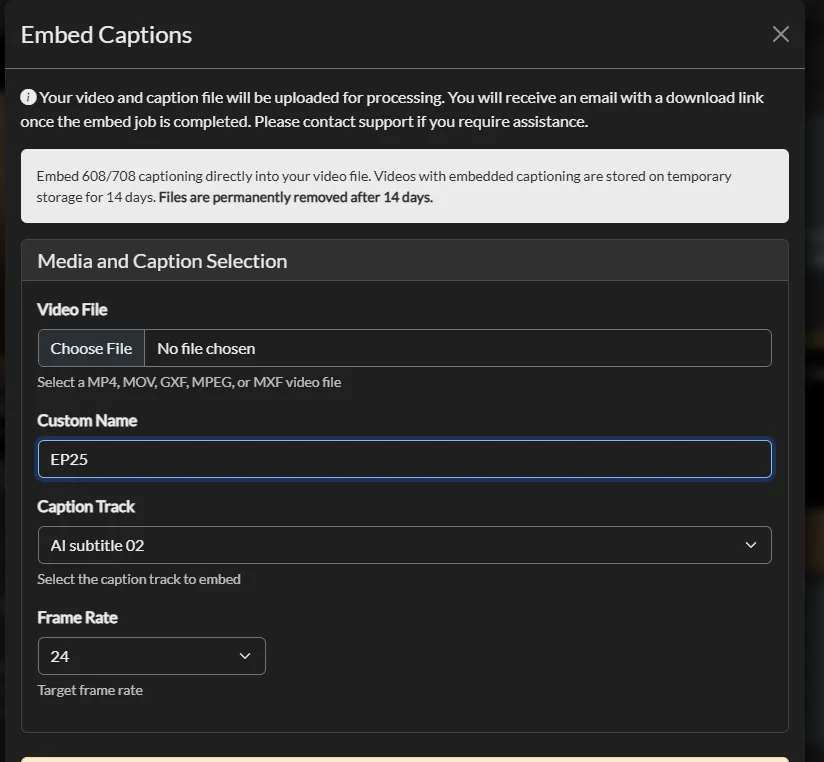
Embedding 608/708 caption data straight into a broadcast video file.
| Format or capability | In Closed Caption Creator | In WinCaps Q4 |
|---|---|---|
| ScreenSystems PAC | Import and export | Import and export |
| EBU-STL | Pro plan | Import and export |
| Cavena 890 | Import and export | Import and export |
| SubRip and WebVTT | All plans | Import and export |
| Timed Text XML / EBU-TT | All plans | Import and export |
| Scenarist SCC | Pro plan | Not listed |
| MacCaption MCC | Pro plan | Not listed |
| EIA-608/708 embedding | Pro plan | Not listed |
| Netflix and IMSC profiles | All plans | Not listed |
| Teletext | Not supported | Core to the product |
| Audio description | Optional add-on | Not supported |
| Live subtitling | Not supported | Separate product (Q-Live) |
The two tools point at different markets. WinCaps is strongest where teletext and EBU delivery dominate; Closed Caption Creator is strongest where SCC, MCC and embedded 608/708 are the deliverables. See the full format list.
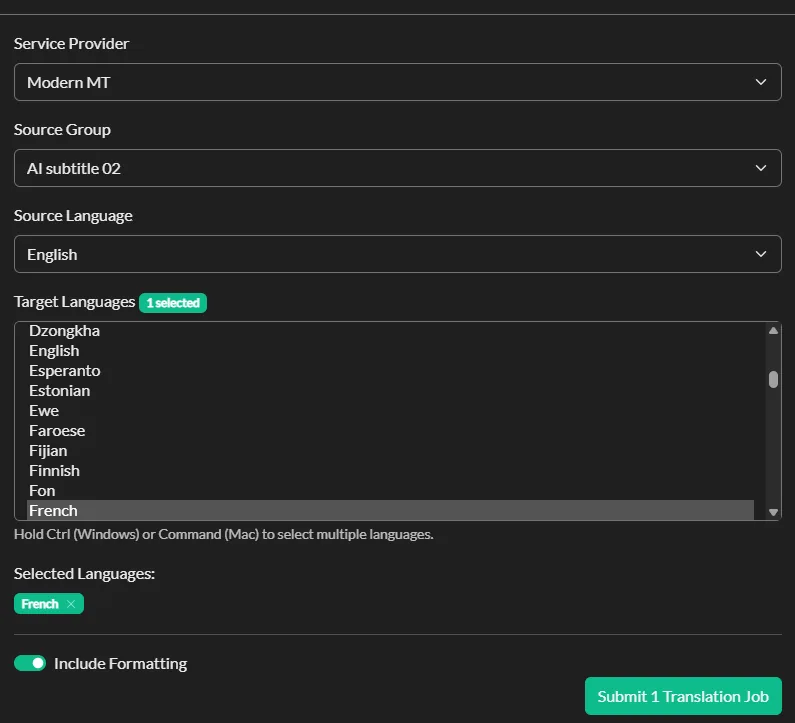
Machine translation into 70+ languages with a dedicated review interface.
Translation as part of the same tool
WinCaps offers a side-by-side dual-file view for creating and comparing translations, which is a solid manual workflow.
Closed Caption Creator adds machine translation into more than 70 languages, 500,000 characters per month on the Pro plan, with a review interface for editing the output against the source.
One honest limitation
WinCaps is backed by BroadStream's wider broadcast stack — playout, teletext transmission, subtitle monitoring and distribution. If you already run OASYS or Polistream, keeping subtitle creation inside the same vendor's ecosystem has real operational value that a standalone editor cannot match.
Closed Caption Creator vs. WinCaps Q4 at a glance
WinCaps pricing is not published on BroadStream's product pages; purchases run through their online store and corporate licensing is quote-based. Capabilities below are taken from the published WinCaps Q4 Standard feature list.
| Closed Caption Creator | WinCaps Q4 | |
|---|---|---|
| Operating systems | Windows, macOS, Linux | Windows only |
| Browser version | Yes, via Google Chrome | No |
| Pricing | Published: $25–$60 per month | Not published; via store or quote |
| Licensing | Subscription, monthly or annual | Subscription: monthly, 6-month or yearly |
| Automatic transcription | 300–600 minutes/month included | Separate product (WinCapsASR) |
| Automatic timing | Automatic sync on Pro | Text-to-speech aligner on Pro, 8 languages |
| Machine translation | 500,000 characters/month on Pro | Dual-file view for manual translation |
| Live subtitling | Not supported | Separate product (Q-Live) |
| 608/708 embedding | Included on Pro; $2.00/file + $0.40/GB | Not listed |
| Teletext delivery | Not supported | Core to the product |
| Audio description | Optional add-on, includes text-to-speech | Not supported |
| Team projects | Included on Pro, 1–25 users | Concurrent network licences, quote-based |
| Spell check | Built in | Via MS Office Proofing Tools, not included |
| Support | 24/7 email and live chat, all plans | Email, UK office hours; 24/7 for enterprise |
| Free trial | 7 days | 7 days |
Capabilities sourced from the WinCaps Q4 Standard product page, verified August 2026. Teletext delivery, live subtitling and the Pro edition's automatic aligner are areas where WinCaps does things Closed Caption Creator does not — if those are central to your work, it is the better fit.
One application instead of four
Captioning, subtitling, translation, transcripts, dialogue lists and audio description all live in the same Closed Caption Creator project, with automatic transcription and QC built in.
With WinCaps, speech recognition, live subtitling and script extraction are separate purchases with their own licences. Neither approach is wrong, but the licence admin and the total cost look quite different.
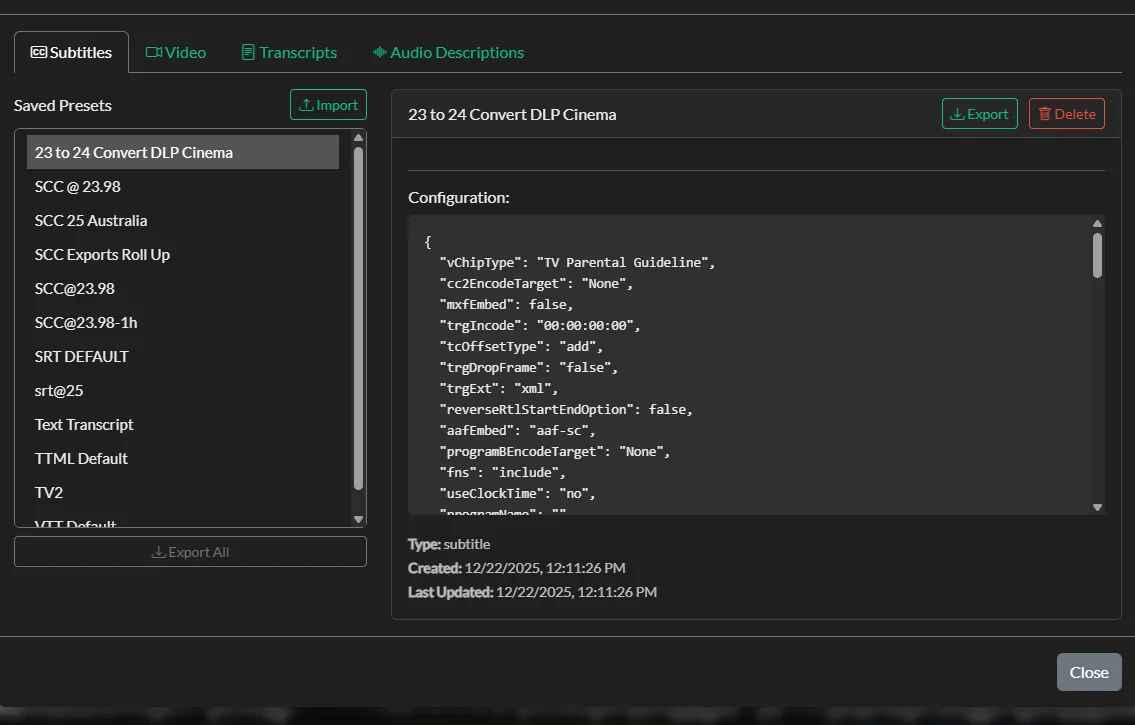
Saved delivery presets, applied across a batch of files at once.
Why WinCaps Q4 users choose Closed Caption Creator
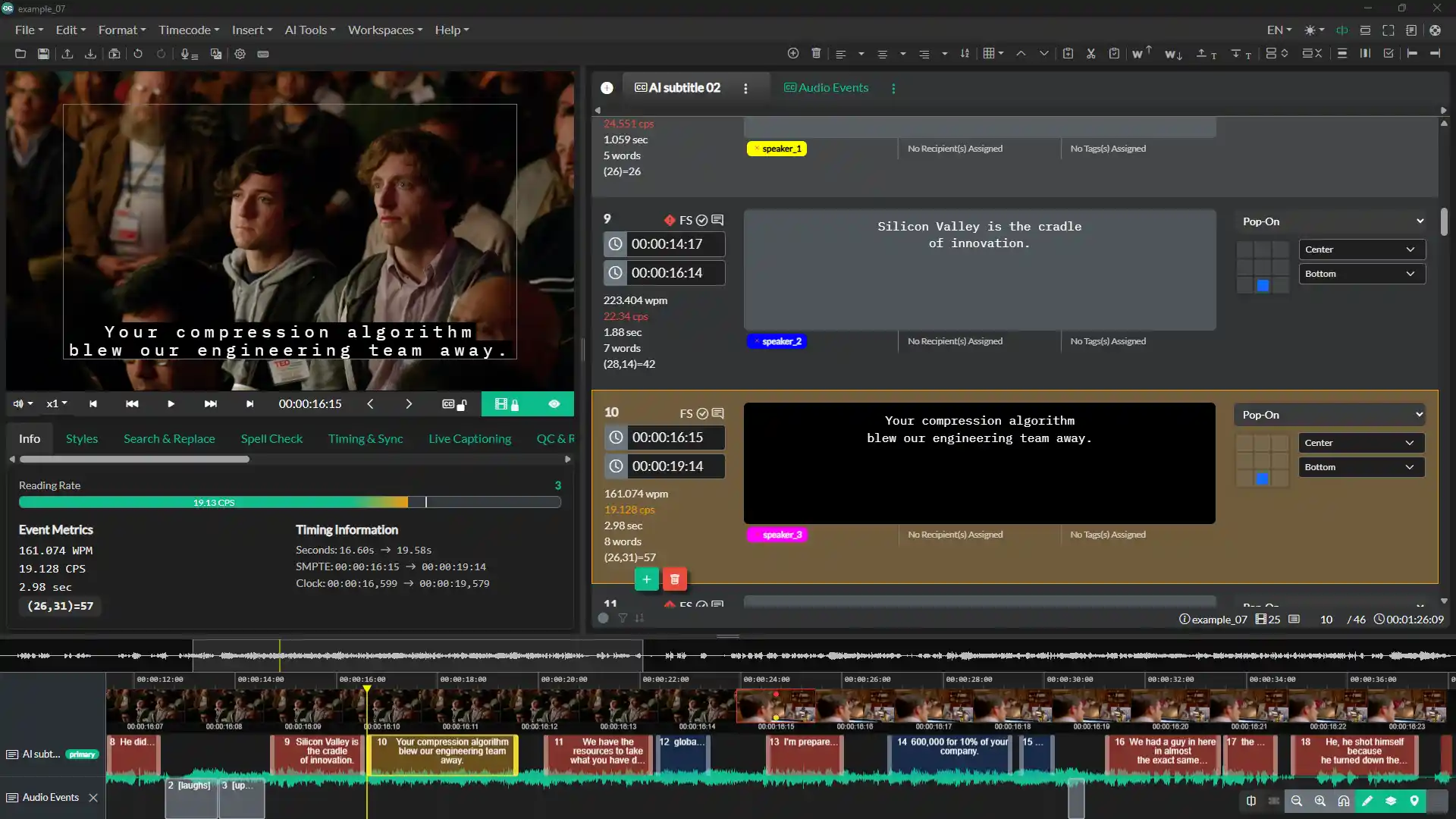
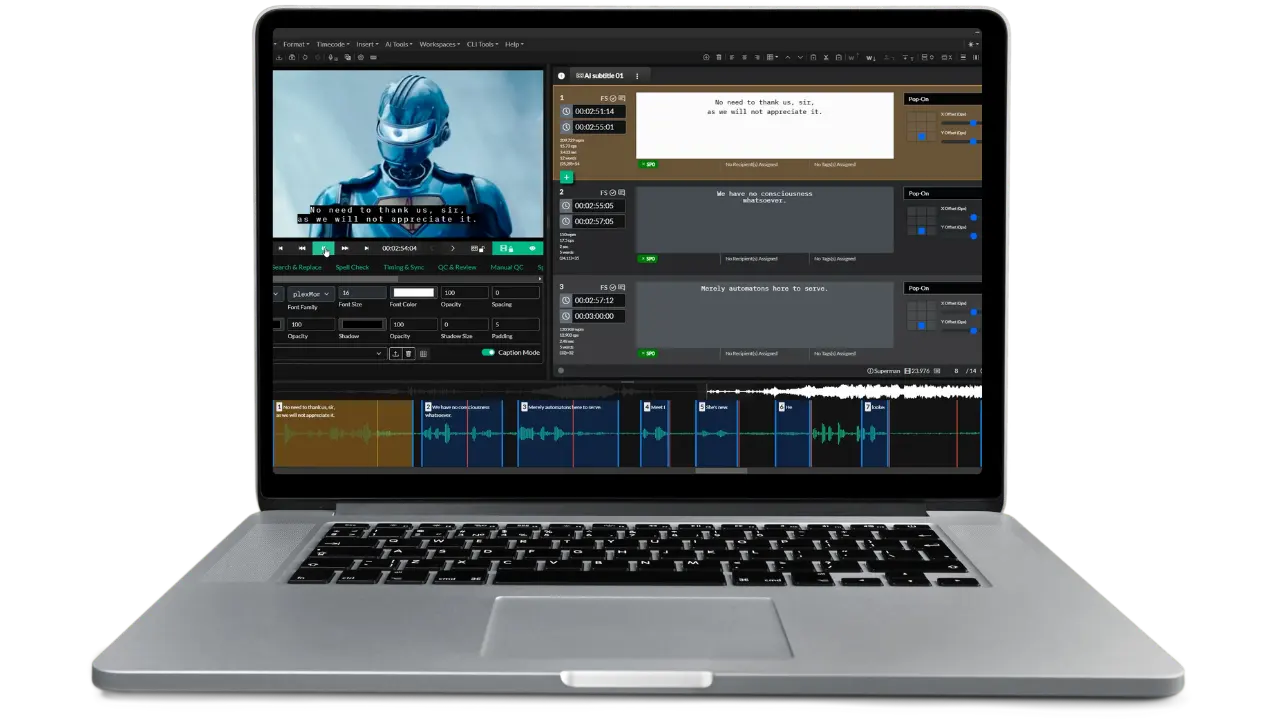
The editing workspace: video preview, event list with reading-rate metrics, positioning grid, and waveform timeline.
Not tied to Windows
Native desktop builds for macOS, Windows and Linux from one subscription, plus a browser version for locked-down machines.
608/708 in the box
Embed EIA-608 and EIA-708 caption data straight into MP4, MOV, GXF, MPEG and MXF, and export SCC, MCC and STL from the same project.
One tool, one licence
Transcription, translation, QC, transcripts and audio description in a single application rather than a companion product for each job.
WinCaps comparison questions
Common questions from teams weighing WinCaps Q4 against Closed Caption Creator.
No. WinCaps Q4 is described by BroadStream as a package for Windows PCs. Mac and Linux users need a virtual machine or a separate Windows computer. Closed Caption Creator ships native builds for macOS, Windows and Linux, plus a browser version that runs in Google Chrome.
BroadStream does not publish WinCaps pricing on its product pages. WinCaps Q4 Standard is sold as a subscription with monthly, six-month or yearly options through their online store, and corporate licensing is arranged by quote. Closed Caption Creator publishes its pricing: $25 to $60 per month depending on plan and billing term.
Embedding caption data into a broadcast video file is not listed among the WinCaps Q4 Standard features, which centre on file-based delivery such as PAC, STL, 890 and EBU-TT plus image and script assets for authoring systems. Closed Caption Creator includes 608/708 embedding on the Pro plan.
No. Teletext is a genuine WinCaps strength and part of BroadStream's wider broadcast stack. Closed Caption Creator targets EIA-608 and EIA-708 for North American broadcast alongside modern streaming profiles such as IMSC and the Netflix timed-text variants.
Neither WinCaps Q4 Standard nor Closed Caption Creator does live subtitling. BroadStream sells Q-Live and Q-LiveASR as separate products for that. Closed Caption Creator is built for file-based post-production work.
Yes. Closed Caption Creator imports the interchange formats WinCaps delivers, including PAC, EBU-STL, Cavena 890, SubRip, WebVTT and Timed Text XML, along with more than 30 other caption and subtitle formats.
Yes. Starter includes 300 minutes per month and Pro 600 minutes per month, using Deepgram, Speechmatics and AssemblyAI, with additional minutes at $0.10. BroadStream sells speech recognition as a separate product, WinCapsASR.
WinCaps provides multilingual spell checking through Microsoft Office Proofing Tools, which BroadStream notes are not included. Closed Caption Creator has spell check built in, along with a Key Names and Phrases manager for keeping proper nouns consistent across a series.
WinCaps offers a side-by-side dual-file view for manual translation, which many subtitlers prefer for creative work. Closed Caption Creator adds machine translation into more than 70 languages with 500,000 characters per month on the Pro plan and a dedicated review interface.
Closed Caption Creator includes shared team projects for 1 to 25 users on the Pro plan, with QC, review, tagging and approval tools. BroadStream offers concurrent network licences for corporate customers, which manage who can run the software rather than putting several people in the same project.
Most subtitlers are productive within a day. The timeline, waveform, shot-change indication and style templates all have direct equivalents, and foot pedal control is supported. Free video courses and the full user guide come with every plan.
How Closed Caption Creator compares to other captioning tools
Try it on your own PAC and STL files
Import an existing PAC, EBU-STL or 890 file and check how the timing, positioning and style rules carry across. The trial includes the video courses and full documentation.