Solution Use Case
Subtitle Translation & Localization
Create multilingual subtitles for broadcast and web
Trusted by global teams








How do you translate subtitles in Closed Caption Creator?
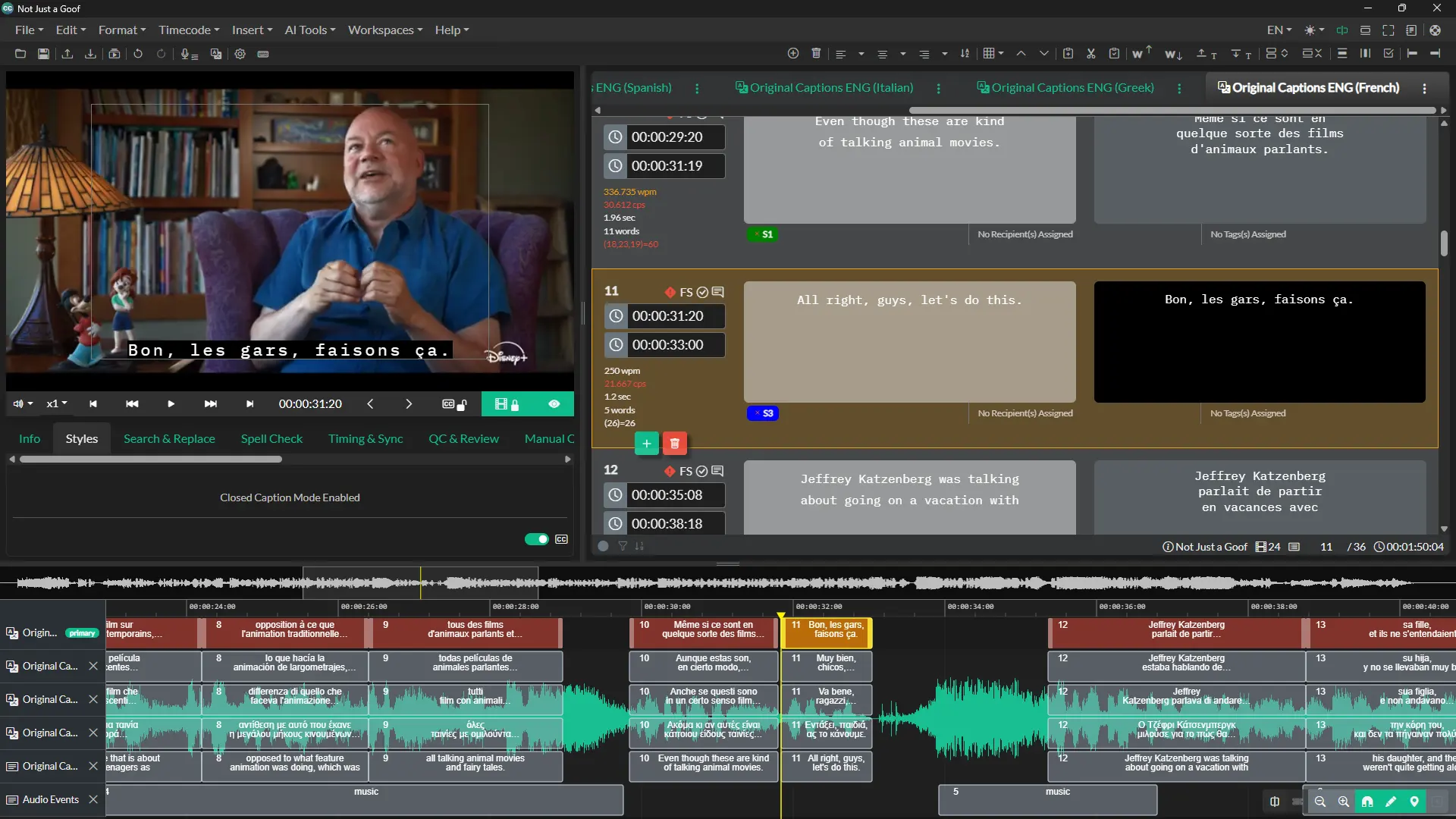
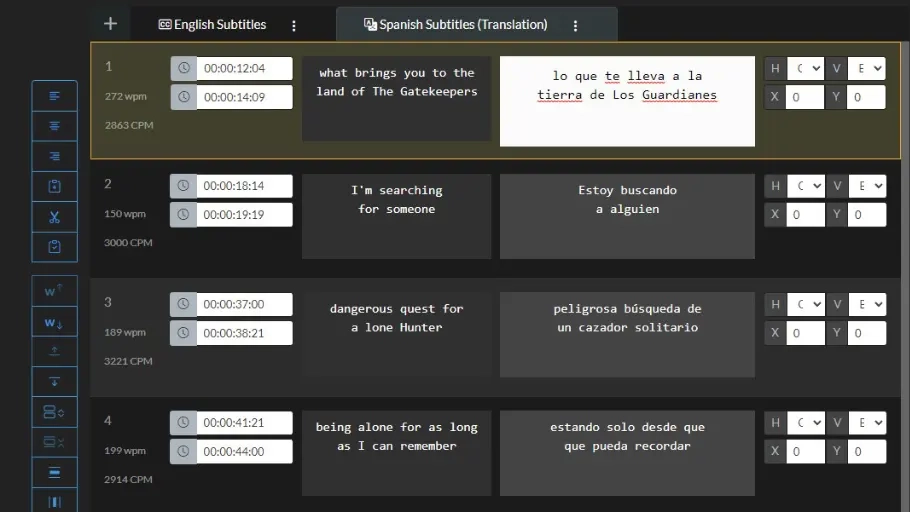
Subtitles are translated in a dedicated Translation UI that shows the source language and target language text side by side. Translators can work manually or generate a draft automatically with machine translation, then edit text, insert events, and update timestamps to fit the translation.
Streamline your multilingual subtitle workflows
Localize closed captioning and subtitles all in one project.
Closed Caption Creator provides a dedicated UI for audiovisual translators where they can view both the source language and target language text side-by-side.
Pivot or bridge language translations can be created automatically using machine translation. This allows translators to all work from a common source language.
Users can take full control of their translation with full edit options including the ability to insert new Events, and update timestamps to accommodate longer text translations.
- Multiple translators can work on the same project at the same time
- Automatic translation is available to create bridge or pivot languages
- Sync changes from the original source language whenever edits are made
- View source and target subtitle text in one UI
- Review and approve translations made by team members
How It Works
From source captions to localized subtitles
A translation workflow designed for professional audiovisual translators.
STEP 1
Translate
Generate a draft automatically with machine translation, or translate manually in the dedicated Translation UI.
STEP 2
Review Side by Side
View source and target text in one UI, and sync changes from the original language whenever edits are made.
STEP 3
Deliver
Adjust timestamps to fit longer translations, review and approve teammates' work, and export in any required format.
- 70+Languages supported by machine translation
- 500KMachine translation characters included monthly on Pro
- Side-by-sideSource and target text in one Translation UI
Machine Translation
One source, every language — with pivot & bridge translations
Give every translator on your team the same starting point.
Pivot or bridge language translations can be created automatically using machine translation, so all translators work from a common source language — though which engine you pick changes what survives the round trip. Translators keep full editorial control afterward: edit text, insert new Events, and update timestamps to accommodate longer translated lines. Need spoken versions too? Turn any translation into a voiced track with multilingual audio dubbing.
- Automatic bridge and pivot language versions
- Full editorial control after machine translation
- Insert Events and update timestamps as needed
- Track usage inside the application
See how subtitle translation works in Closed Caption Creator
Watch this quick overview to learn how teams can streamline translation and localization workflows for subtitles and closed captions.
Ready to get started?
Sign up for a free 7-day trial of Closed Caption Creator and receive access to our video tutorials and courses.
Create closed captioning, subtitles, transcripts, and audio descriptions all in one application. Closed Caption Creator is made for broadcast and captioning teams who are committed to delivering high-quality, accessible video. Sign up now, or contact us for a live demo.
Translation and localization questions
How multilingual subtitle workflows, machine translation, and team review work in Closed Caption Creator.
Yes. Multiple translators can work on the same project at the same time, each viewing the source and target text in one UI. Team members can review and approve translations made by others, so a project can move from translation to approval without leaving the application.
A pivot or bridge language is a common intermediate language that translators work from instead of the original. Closed Caption Creator can generate one automatically using machine translation, allowing every translator on a project to translate from the same shared source text.
Yes. Automatic translation is built in and is typically used to create bridge or pivot language versions of a project. Translators keep full editorial control afterwards, with the ability to edit text, insert new events, and adjust timestamps to accommodate longer translated lines.
The Pro plan includes 500,000 machine translation characters per month. Additional usage is charged at $0.00005 per character, which works out to $50 per million characters. Unused characters do not carry over between months, and usage can be tracked inside the application.
Yes. Translators have full edit options, including inserting new events and updating timestamps. This matters because translated text often runs longer than the source, so event timing can be adjusted to accommodate the longer lines while keeping the subtitles synchronized with the video.
When edits are made to the original source language, those changes can be synced through to the translation side of the project. This keeps the source and target versions aligned, so translators always work from the current approved text instead of an outdated copy.