Solution Use Case
CCSL Authoring
Create Combined Continuity, Dialogue, and Spotting Lists with automatic scene detection & speaker IDs
Trusted by global teams








What is a CCSL in film and television post-production?
A CCSL, or Combined Continuity, Dialogue, and Spotting List, is a shot-by-shot breakdown of a finished video. It combines visual continuity descriptions, transcribed dialogue with character attribution and timecodes, and a spotting list of audio elements, and is often required in delivery packages.
Save hours creating CCSL files using Closed Caption Creator
Easily generate CCSL files using our custom exporter to create fully formatted CCSLs in DocX and CSV formats.
In the world of film and television, a CCSL (Combined Continuity, Dialogue, and Spotting List) is a crucial document used in post-production. It's essentially a shot-by-shot breakdown of the final video, combining three key elements:
- Continuity: This provides a detailed description of the visual action in each shot, including camera angles, movements, sets, characters, props, and any on-screen text or graphics. Think of it as a descriptive script for the visuals.
- Dialogue: This includes the complete spoken dialogue from the film or show, transcribed accurately and attributed to each character with timestamps (timecodes).
- Spotting List: This goes beyond just dialogue and identifies other audio elements that need attention in post-production, such as sound effects, music cues, and silence sections. It also specifies timings for each element.
It serves as a single source of truth: With all the visuals, dialogue, and audio information in one place, everyone involved in post-production, from editors to music supervisors, can access and reference the same document.
It streamlines post-production: Having a clear breakdown of each shot and its elements helps the team work efficiently and ensure consistency throughout the final product.
It facilitates deliverables: CCSLs are often required by distributors and broadcasters as part of the delivery package for a film or show.
Overall, a CCSL is a powerful tool that plays a vital role in bringing a film or TV show to life in the editing room and beyond.
Closed Caption Creator makes it easy to create CCSL files by allowing users to export multiple Event Groups at one time. This allows teams to organize their work into separate Event Groups to easily focus on one task at a time. Write your shot descriptions, without having to worry about the dialogue elements. Transcribe dialogue without worrying about shot changes. When it is time to time the dialogue against those markers, our guide to subtitle shot change rules covers the thresholds.
CCSL files can be exported in multiple formats, including Microsoft Word documents (.docx), Excel (.xlsx), and CSV.
- Auto Detect Shot Changes
- Speaker Identification and Insertion
- Custom Export option for CCSL
- Available for both web and desktop
- Export Microsoft Word (.docx), Excel (.xlsx), and CSV files
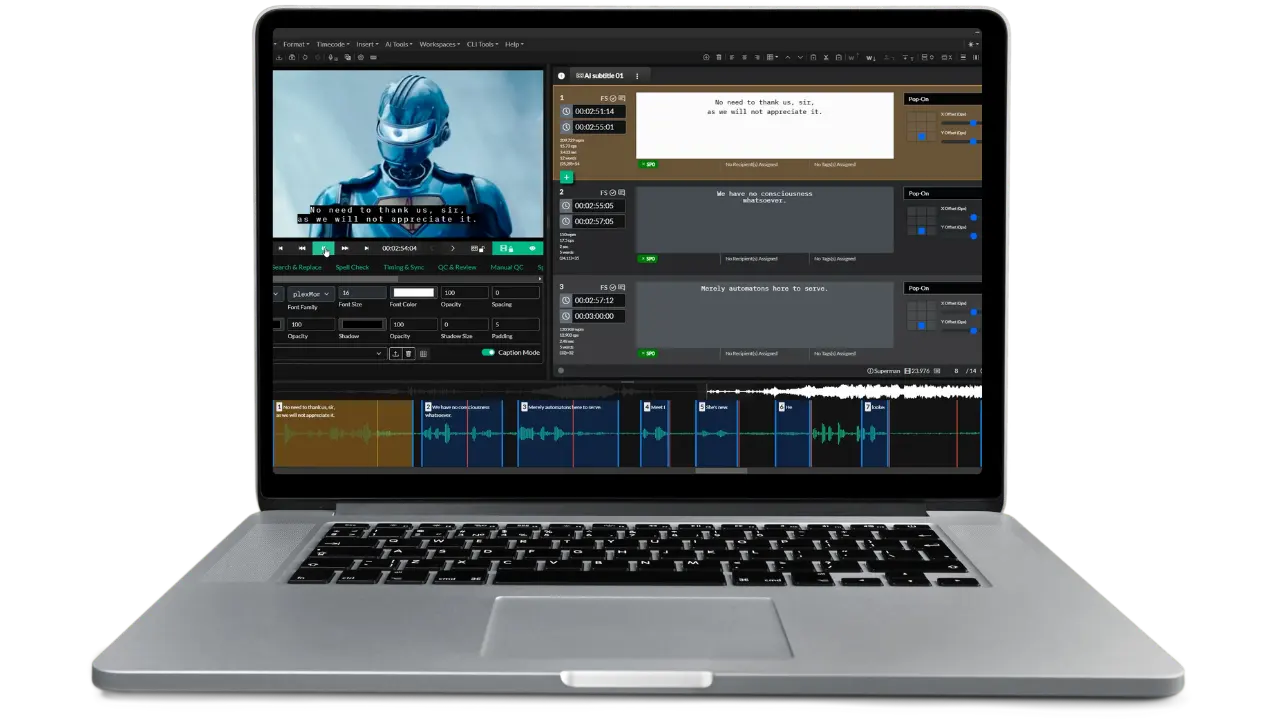
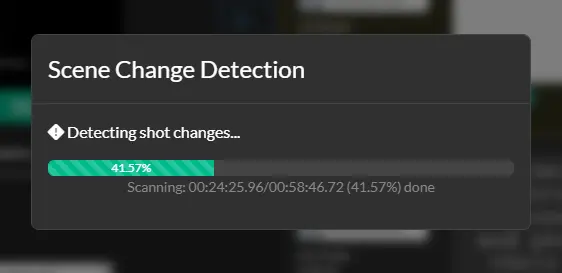
Shot Change Detection
Automatically detect shot changes
Closed Caption Creator is able to automatically detect shot changes and generate marker lists that can be used in your project for describing shot changes.
This allows users to unlock new workflows, like the ability to navigate a project by shot change instead of using the transport controls.
Agencies and media teams can benefit by using one application for transcription, closed captioning, audio descriptions, and CCSLs. Making each part of the workflow more valuable to the next.
No more switching between different programs to create CCSLs. Do it all with Closed Caption Creator.
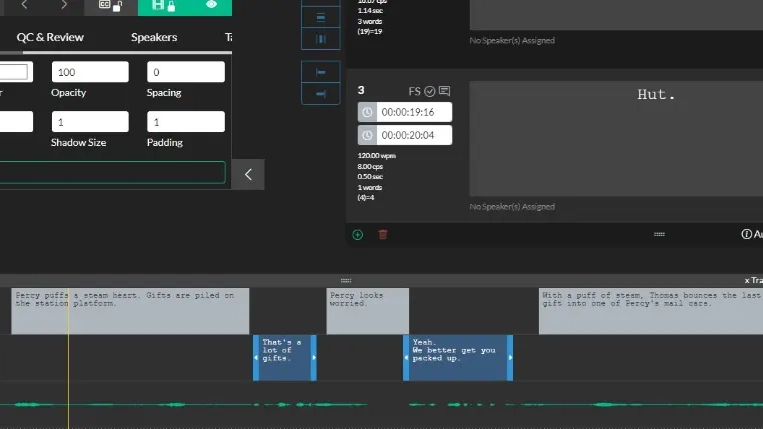
Multi-Track View
View shot changes, dialogue, and descriptions on one timeline
The timeline view allows users to view shot change markers, and Events from two different Event Groups at the same time.
This unlocks new workflows, by allowing users to focus on one task, while still seeing work from other ongoing tasks.
Imagine being able to start writing shot descriptions, while at the same time, a member of your team transcribes the dialogue. With Closed Caption Creator, you can.
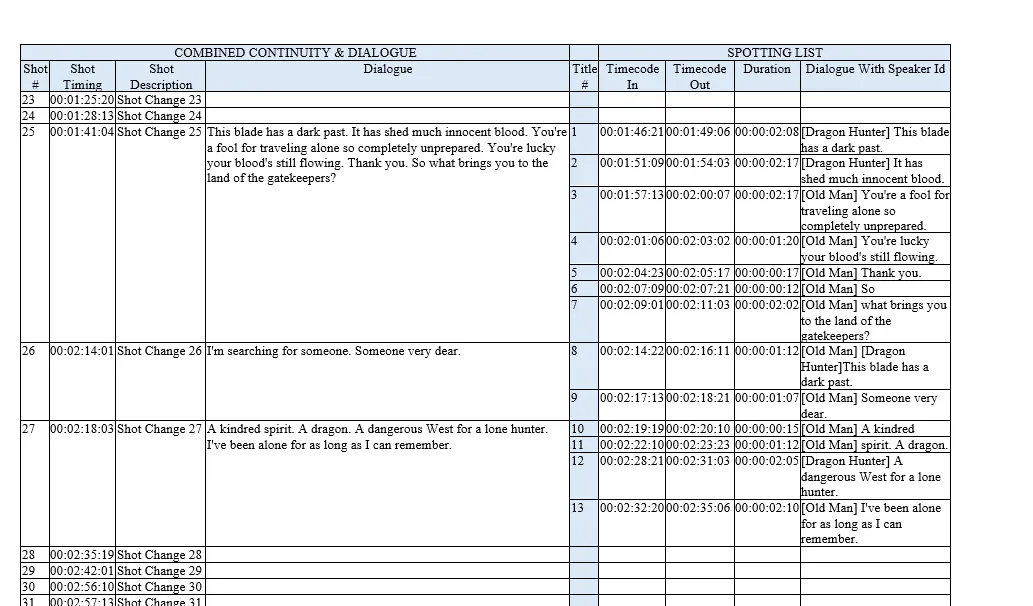
CCSL Export
Export professional CCSL documents
Closed Caption Creator has a dedicated CCSL export option that allows users to select the Event Groups, template, and file format they wish to export.
Spend less time worrying about how to format columns and rows in Microsoft Word, and focus on writing the perfect shot description.
How It Works
From timeline to delivery-ready CCSL
Build all three parts of the document in one project, then export in one step.
STEP 1
Spot
Automatically detect shot changes and generate marker lists to navigate the project shot by shot.
STEP 2
Describe
Write shot descriptions, or generate them with Automatic Shot Descriptions to lift the most labor-intensive work.
STEP 3
Transcribe
Capture dialogue in a separate Event Group with speaker identification and timecoded attribution.
STEP 4
Export
Select the Event Groups, template, and format — export a fully formatted CCSL in .docx, .xlsx, or CSV.
- 3-in-1Continuity, dialogue, and spotting list in one document
- AutoShot change detection with generated marker lists
- docx · xlsx · csvCCSL export formats
Automatic Shot Descriptions
Crafting shot descriptions can often be the most labor-intensive, detail-oriented part of building a CCSL document. Automatic Shot Descriptions lifts that weight by spotting every shot change for you and generating descriptive copy so teams can stay focused on the bigger picture.
Ready to get started?
Sign up for a free 7-day trial of Closed Caption Creator and receive access to our video tutorials and courses.
Create closed captioning, subtitles, transcripts, and audio descriptions all in one application. Closed Caption Creator is made for broadcast and captioning teams who are committed to delivering high-quality, accessible video. Sign up now, or contact us for a live demo.
CCSL authoring questions
Practical answers about building Combined Continuity, Dialogue, and Spotting Lists in Closed Caption Creator.
A CCSL combines continuity, which describes the visual action in each shot, including camera angles, sets, characters, props, and on-screen text; dialogue, the complete spoken lines transcribed and attributed to each character with timecodes; and a spotting list identifying sound effects, music cues, and silence with timings.
CCSL files can be exported as Microsoft Word (.docx), Excel (.xlsx), and CSV files. A dedicated CCSL export option lets users select the Event Groups, template, and file format for the export, so time is spent writing shot descriptions rather than formatting columns and rows.
Yes. Closed Caption Creator automatically detects shot changes and generates marker lists for describing shots in the project. A newer Automatic Shot Descriptions feature goes further, spotting every shot change and generating descriptive copy to lift the most labor-intensive part of building the document.
Closed Caption Creator includes speaker identification and insertion, so dialogue in the CCSL can be attributed to each character. The dialogue section of a CCSL requires complete spoken lines transcribed accurately and attributed with timecodes, which speaker IDs help produce.
Yes. Work can be organized into separate Event Groups, such as one for shot descriptions and another for dialogue, and the multi-track timeline shows shot change markers and events from two Event Groups at once. One person can write shot descriptions while a teammate transcribes dialogue.
CCSLs are often required by distributors and broadcasters as part of the delivery package for a film or show. Because the document holds all visual, dialogue, and audio information in one place, it acts as a single source of truth for everyone in post-production.