Solution Use Case · For Broadcast
Audio Description Editor
The Audio Description Plugin for Closed Caption Creator allows users to create descriptive video using their own voice or lifelike synthetic voices in over 30 different languages.
The perfect solution for authoring scripts, and exporting audio mixdowns ready for broadcast.
Voices powered by:





What is the Audio Description Plugin for Closed Caption Creator?
The Audio Description Plugin for Closed Caption Creator is a tool for creating descriptive video. Users author AD scripts, then generate voice tracks using their own recorded voice or lifelike synthetic voices in over 30 languages, and export audio mixdowns ready for broadcast delivery.
Create lifelike descriptive audio using the power of virtual voice.
...by combining the ability to work with closed captioning, and described video in the same project, we're able to unlock new workflows and efficiencies for our entire team.

How It Works
From AD script to described audio
Three steps to produce lifelike audio description without booking a voice studio.
STEP 1
Write the Script
Create AD events alongside your captions, or generate a first-draft script with automatic scene descriptions.
STEP 2
Preview Voices
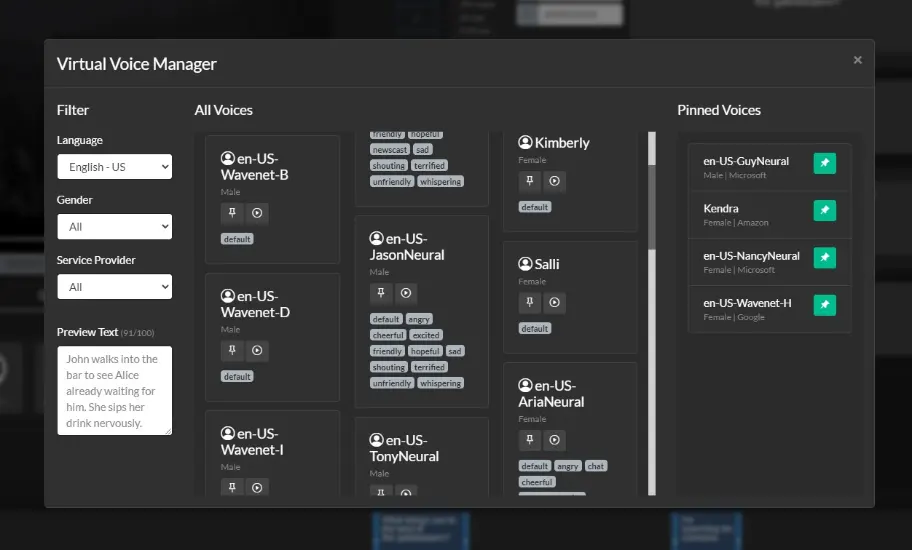
Choose from lifelike synthetic voices from ElevenLabs, Microsoft Azure, Google Cloud, and Amazon Polly — preview before you commit.
STEP 3
Export & Mix
Export a mixed audio track, or package a broadcast-ready described video deliverable from the same project.
Over 100+ Virtual Voices
Closed Caption Creator includes access to over 100 lifelike virtual voices from service providers such as Amazon, Google, and Microsoft. The Virtual Voice Manager allows users to preview, and favorite different voices they wish to use in their project. Read how our Microsoft-powered voices work.
Automatic AD Scripting
Generate AD Scripts using the power of AI. Our AD Scripting tool is able to scan media and generate audio description Events automatically. Users can then review the scripts and make changes as required.
Please visit our pricing page for more information on rates related to Automatic AD/DV Scripting.
Audio Recorder
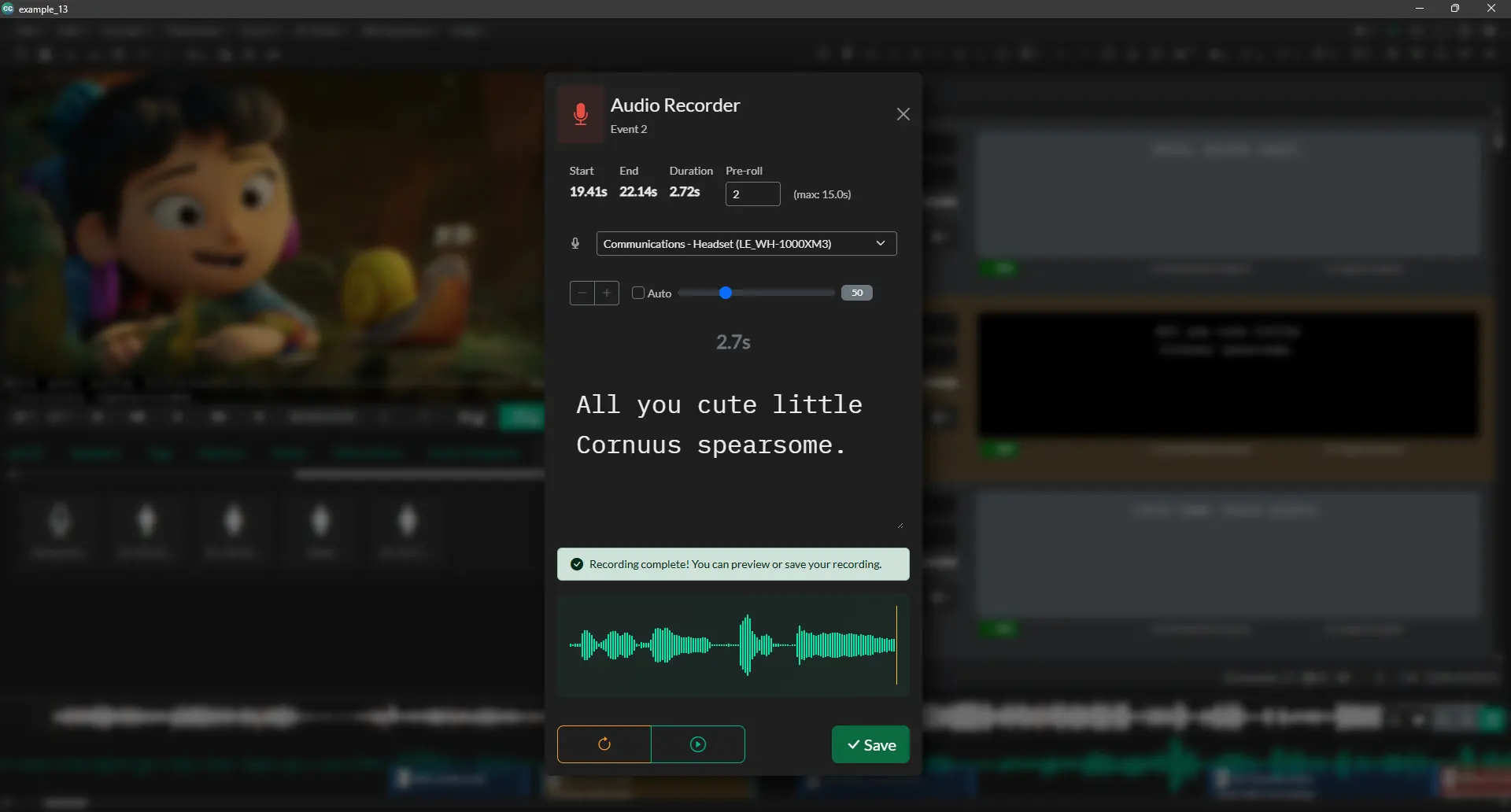
Record audio descriptions directly in Closed Caption Creator with the built-in audio recorder—no external software needed. Write your scripts and capture professional voiceovers all in one place.
Audio Description Export
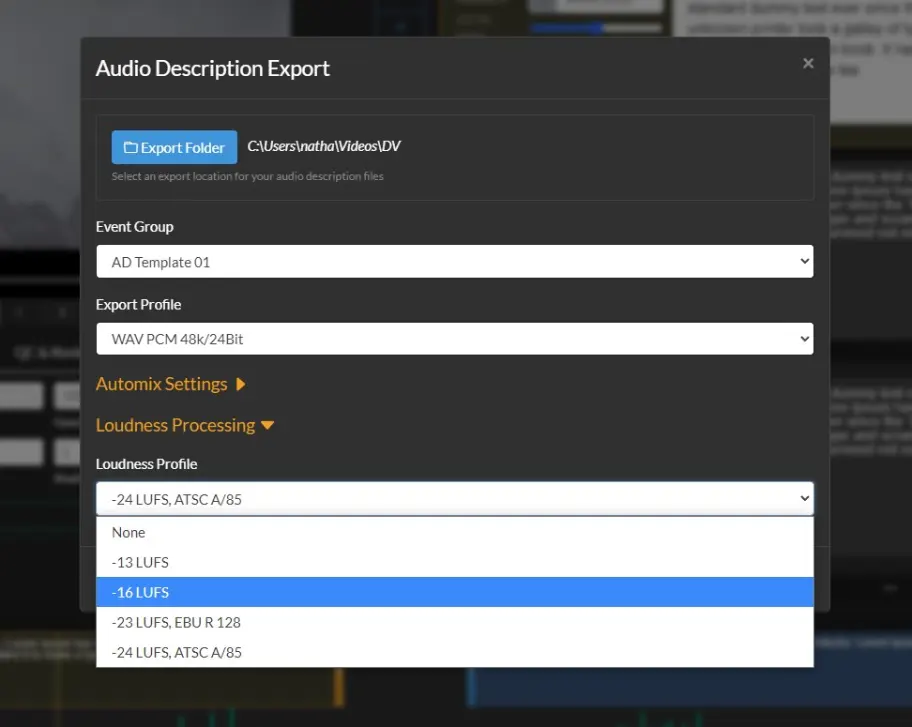
Export your work as a transcript, or audio file. Closed Caption Creator supports FLAC, WAV and MP3 audio exports. Create realistic VO tracks ready for broadcast using text-to-speech powered by Google, Amazon, and Microsoft. Loudness normalization, and AutoMix can be applied to the output in order to comply with broadcast specifications.
Audio Description Plugin vs. Descriptive Video Transcript
Both workflows start from the same audio description events in your project. Choose finished audio for broadcast delivery, or a text transcript for web accessibility.
| Audio Description Plugin | Descriptive Video Transcript (DVT) | |
|---|---|---|
| Final output | Broadcast-ready audio files (WAV, MP3, FLAC) | Text transcript (TXT, DOCX, CSV) or screen-reader friendly HTML |
| Voice | 100+ synthetic voices, or record your own | No audio — the reader uses their own screen reader |
| Mixing and loudness | AutoMix with loudness normalization (ATSC A/85, EBU R 128) | Not applicable |
| Best for | Broadcast and streaming audio description delivery | Web publishing, review, and translation handoff |
Automatic Dialogue Detection & AD Templates
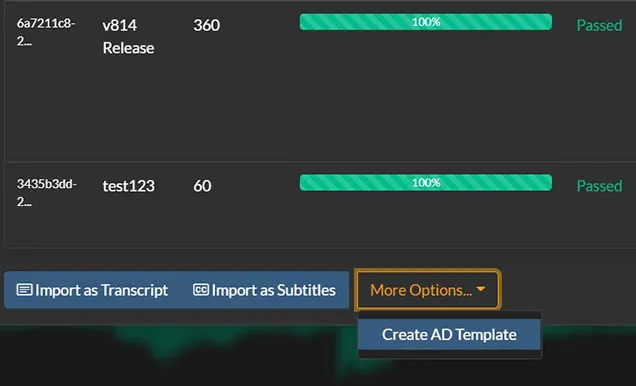
Automatically detect the dialogue in your video file and generate AD templates in just a few clicks. AD templates create events in your project starting at the correct timecode so all you have to do is describe the scene and bring it to life.
WYSIWYG Editor
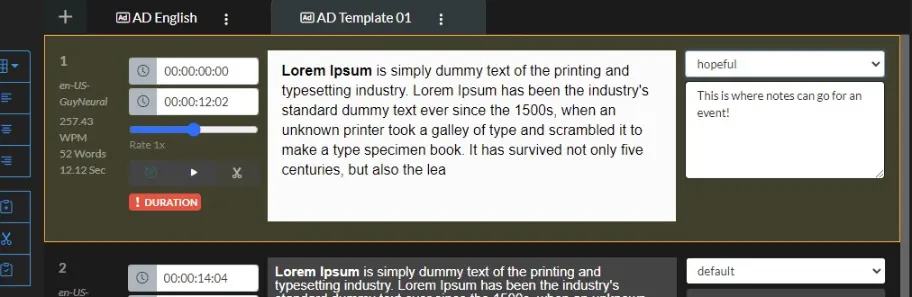
The WYSIWYG editor makes it easy to start creating audio descriptions. Simply type what you want and the event will automatically render the audio. Users can also add notes, and speaker styles from the dropdown menu.
Web and Desktop Support
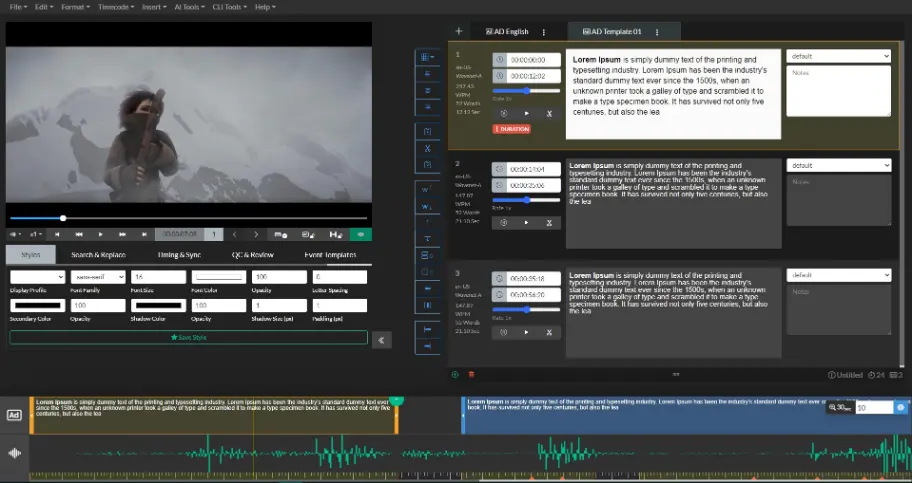
Closed Caption Creator is available for all platforms including Windows, Mac, Linux, and Google Chrome.
How to Create Audio Descriptions For Broadcast
Watch our free course to learn how to create audio descriptions using Closed Caption Creator + AD Plugin
Watch NowReady to get started?
Sign up for a free 7-day trial of Closed Caption Creator and receive access to our video tutorials and courses.
Create closed captioning, subtitles, transcripts, and audio descriptions all in one application. Closed Caption Creator is made for broadcast and captioning teams who are committed to delivering high-quality, accessible video. Sign up now, or contact us for a live demo.
Audio description questions
Answers about synthetic voices, recording, scripting tools, exports, and pricing for the Audio Description Plugin.
The Audio Description Plugin costs $40 per month per user plus usage. Each licence includes up to 750,000 characters per month of text-to-speech, equal to 9,000,000 per year. Additional usage is billed at $0.00005 per character, or $50 per million characters. Usage is pooled for customers holding multiple licences.
Closed Caption Creator includes access to over 100 lifelike virtual voices from providers such as Amazon, Google, and Microsoft, covering more than 30 languages. The built-in Virtual Voice Manager lets users preview voices, filter them, and favorite the ones they want to use in a project.
Yes. Closed Caption Creator has a built-in audio recorder, so descriptions can be captured directly inside the application without external recording software. Users write their scripts and record professional voiceovers in one place, then export the results as FLAC, WAV, or MP3 files.
Audio descriptions can be exported as FLAC, WAV, or MP3 files, or as a transcript. Loudness normalization and AutoMix can be applied during export so the voice track complies with broadcast loudness specifications. Closed Caption Creator also supports Extended AD and combined Video Export plus AD.
Yes. The Automatic AD Scripting tool uses AI to scan the media and generate audio description events automatically, which users then review and edit. A separate dialogue detection feature finds the dialogue in a video and builds AD templates with events already placed at the correct timecode.
Extended AD is supported alongside standard audio description. Closed Caption Creator can produce Extended AD projects and offers a Video Export plus AD option, so the finished described video and its audio track can be delivered together as broadcast-ready output from the same application.