Integration by Closed Caption Creator
Convert & Conform Subtitles in Rally

Automate your closed captioning and subtitle workflows using our subtitle file conversion and conform API
How It Works
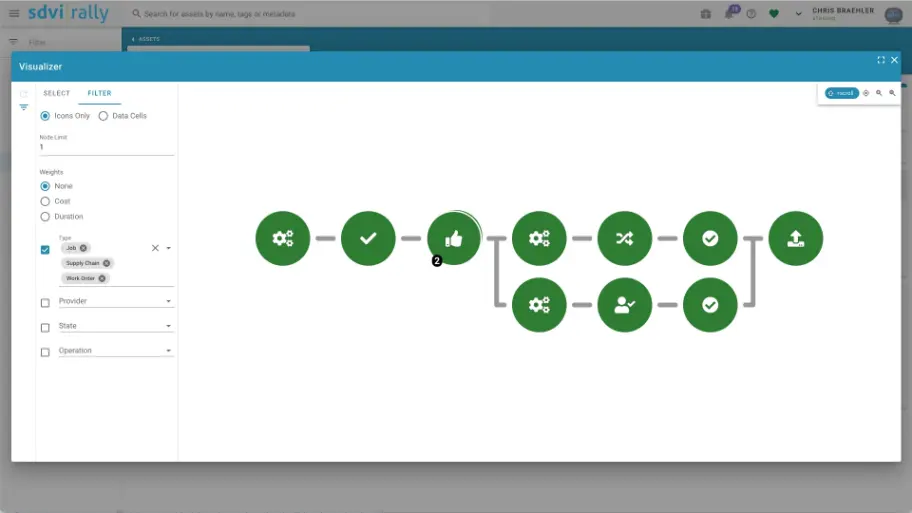
Caption automation inside your supply chain
Closed Caption Converter runs as a Rally Application Service, so caption processing happens where your media already lives.
STEP 1
Trigger
Rally triggers the job as part of your supply chain — no manual handoffs required.
STEP 2
Process
Closed Caption Converter converts, conforms, and QC-checks the caption files with the same functionality found in our UI.
STEP 3
Return
Validated, delivery-ready files are returned to the supply chain for the next step in your workflow.
- 30+Caption and subtitle formats supported
- P1Priority 1 support for supply chain operations
- Dialogue detectionVerify sync and missing captions automatically
Automate your closed caption and subtitle workflows
Leverage our Closed Caption Converter API to streamline your broadcast delivery and prep workflows.
Rally is a solution that unifies tools and infrastructure to prepare content for distribution. This enables supply chain operators to manage the entire system in one place.
With Closed Caption Creator, you can automate your closed caption workflows in Rally with all of the same functionality found in our UI.
- Convert files to over 30 different formats
- Segment/conform files to match edits made to video
- Automatic QC & File Validation using custom style guides
- Verify Sync and missing captions based on dialogue detection
- Automatic captioning of pre-recorded media
- Priority 1 (P1) Support
Use Cases
What teams automate with Rally + Closed Caption Creator
The same caption functionality found in our UI, running as steps in your media supply chain.
Delivery Prep
Convert caption files to any of 30+ formats for broadcast playout and OTT delivery.
Versioning & Conform
Segment and conform caption files to match edits made to the video.
Pre-Recorded Media
Automatically caption pre-recorded media as it moves through the supply chain.
Automated QC
Validate files against custom style guides and verify sync using dialogue detection.
Supply Chain Presets
Configure once, run on every asset
Set up supply chain presets using Closed Caption Converter, and start delivering accessible content even faster.
Presets capture your conversion, conform, and QC settings so every asset that passes through Rally is processed the same way — with Priority 1 (P1) support available when your operations team needs it.
- Reusable presets for conversion, conform, and QC jobs
- Same functionality as the Closed Caption Converter UI
- Runs as a native Rally Application Service
- Backed by Priority 1 (P1) support
Ready to integrate?
Contact our support team when you're ready to try an integration.
We'll schedule a short 30 minute call to help answer any questions and walk you through configuring your system. Most of our integrations can be set up in just a few minutes.
Contact UsMore Solutions
Rally integration questions
Common questions about automating caption conversion and conform with SDVI Rally.
Rally triggers caption jobs that Closed Caption Converter processes automatically: converting files to over 30 formats, segmenting and conforming files to match video edits, running automatic QC and file validation with custom style guides, verifying sync with dialogue detection, and automatically captioning pre-recorded media.
The Closed Caption Converter supports over 30 different closed caption and subtitle file formats, including SCC, MCC, SRT, VTT, TTML, and more.
Yes. Sync verification and missing-caption detection are based on dialogue detection, so files are checked against the actual audio in each asset.
Yes. The integration runs with all of the same functionality found in the Closed Caption Creator UI, so supply chain presets behave exactly like the manual workflow.
Priority 1 (P1) support is included. Contact the team to schedule a short 30 minute call to help configure your system — most integrations can be set up in just a few minutes.