Solution · Post-production documents
CCSL & Dialogue Lists
Transcripts, dialogue lists, CCSLs and descriptive video transcripts, all from the same timed project. Write once, then export every document your delivery spec asks for.
DOCX, CSV and TXT export on every paid plan
What documents can Closed Caption Creator create for post-production?
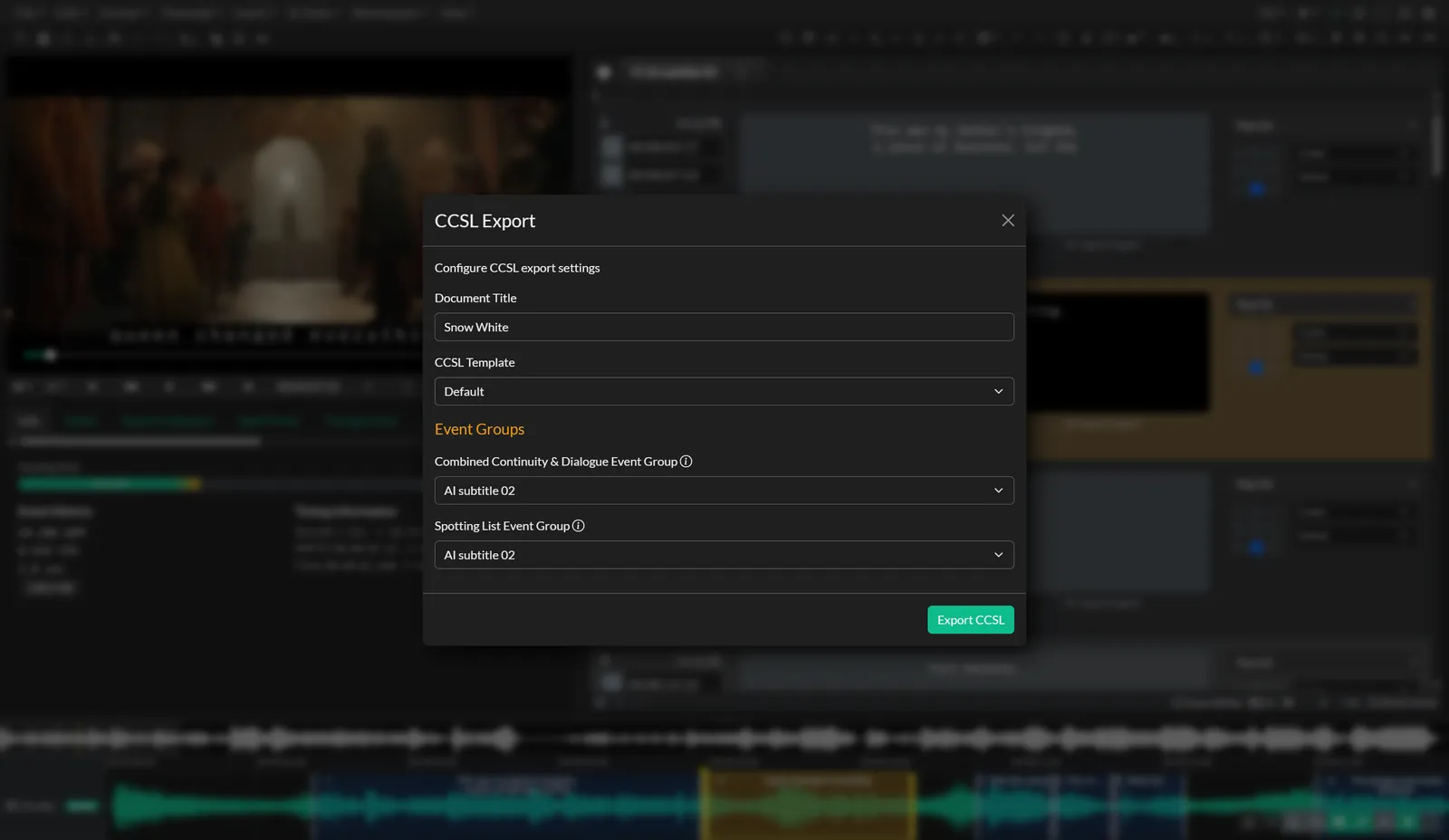
Closed Caption Creator creates transcripts, as-broadcast dialogue lists, CCSLs (Combined Continuity, Dialogue and Spotting Lists) and descriptive video transcripts from the same project. Dialogue, shot descriptions and audio description live in separate Event Groups with shared timecodes, and each document exports to Microsoft Word, CSV or plain text.
Deliverables
Every document from one source of truth
Pick the deliverable you need. Each one has its own guide with workflows and examples.
Transcripts
Transcribe by hand with playback shortcuts and short forms, or automatically with nine AI engines. Add speaker IDs, tags and notes, then export a clean or timestamped transcript.
Transcripts & dialogue listsDialogue lists
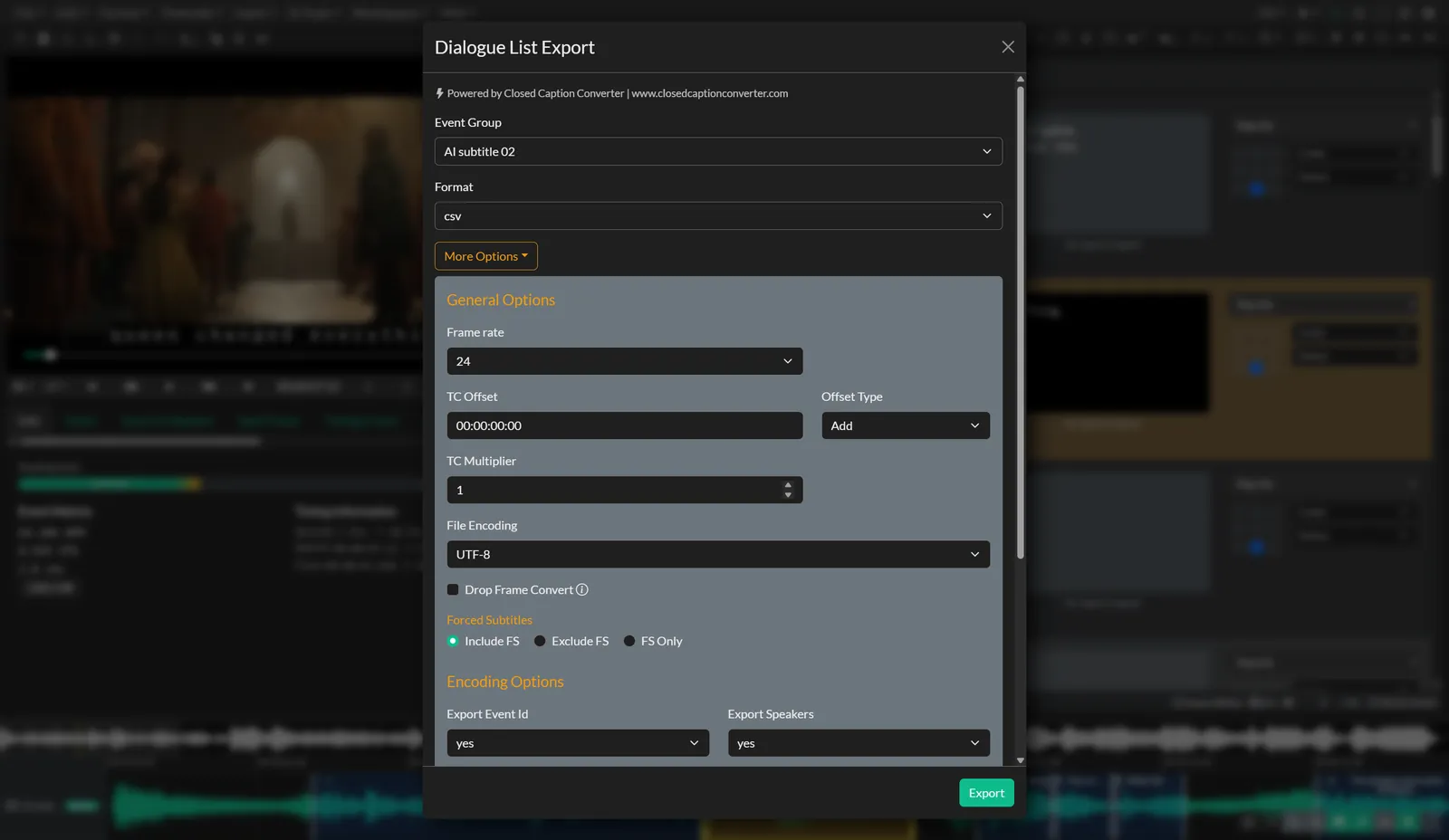
As-broadcast dialogue lists with timecodes, character names and custom columns. Save the layout as a preset and share it with your team.
Dialogue list exportCCSL authoring
Combined Continuity, Dialogue and Spotting Lists built from separate Event Groups, with AI shot descriptions to speed up the continuity column.
CCSL authoringDescriptive video transcripts
Merge subtitles and audio descriptions into one screen-reader friendly document for web accessibility.
Descriptive video transcriptsHow it works
Organize by Event Group, export by document
Keep dialogue, shot descriptions, music cues and audio description in separate Event Groups on the same timeline. Each document pulls the groups it needs.
- Export several Event Groups at once into a fully formatted CCSL
- Speaker IDs, tags and notes carry into every document
- Custom format presets and shared profile settings for your delivery specs
- The same events also export as captions, subtitles or audio description
Dialogue list guide · CCSL export guide · Transcript export guide
AI shot descriptions
Draft the continuity column automatically
Automatic Shot Descriptions detects shot changes, samples thumbnails from every shot, transcribes the dialogue and writes a description of each scene.
Review and edit the notes, then use them for the continuity column of a CCSL, as a starting point for audio description, or for client reporting. Runs in the desktop app and is billed per minute of video processed.
Read the shot descriptions guide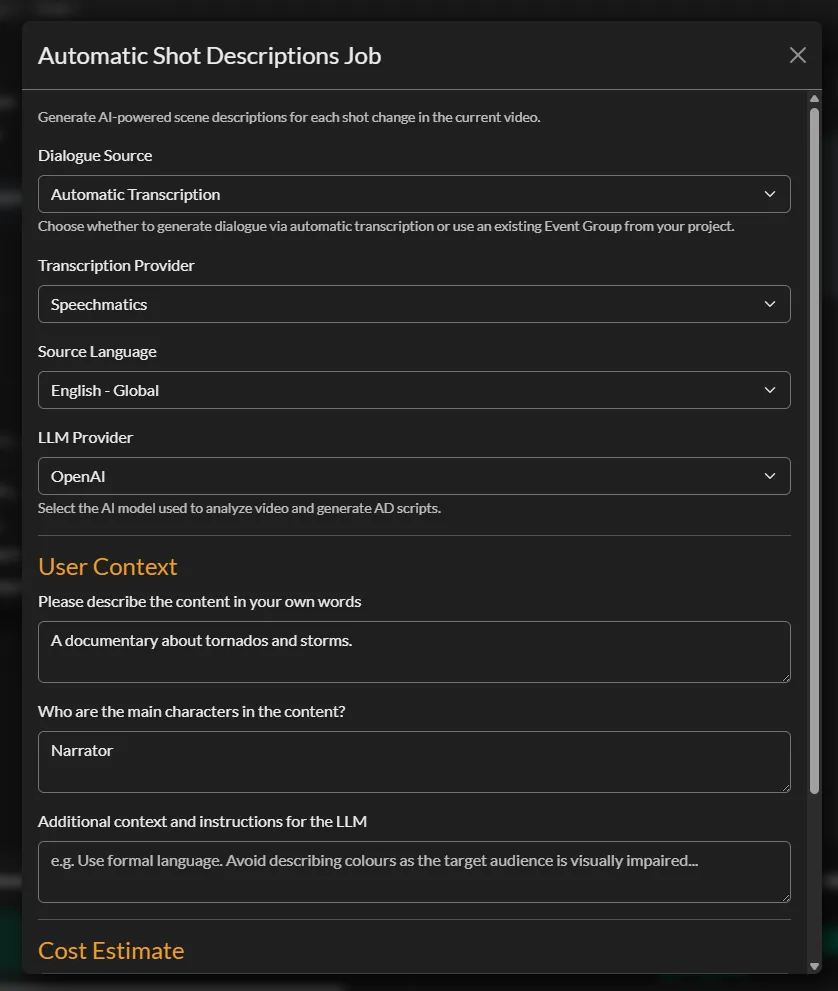
Which document do you need?
A quick guide to what each deliverable contains and when it's usually requested.
| Document | What it contains | Typically used for |
|---|---|---|
| Transcript | Spoken text, optionally with timestamps and speaker names | Editing, search, research, translation handoff |
| Dialogue list | Every line of dialogue with timecodes and character attribution | Broadcast and distributor delivery packages, dubbing prep |
| CCSL | Shot-by-shot continuity, dialogue and a spotting list of music, effects and on-screen text | Feature film and series delivery to distributors |
| Descriptive video transcript | Dialogue merged with descriptions of visual content | Web accessibility alongside published video |
Need voiced audio description instead of a text document? See Audio Description & Dubbing.
Build your next delivery package in one place
Try Closed Caption Creator free for 7 days, or book a demo to see a CCSL built from your own content.
CCSL & dialogue list questions
Answers about post-production documents, formats and plans.
A transcript is the spoken text of a program, usually with timestamps and speaker names. A dialogue list is a delivery document that lists every line of dialogue with timecodes and character attribution. A CCSL (Combined Continuity, Dialogue and Spotting List) goes further, adding a shot-by-shot description of the visuals and a spotting list of music, effects and on-screen text. Closed Caption Creator creates all three from the same project.
A descriptive video transcript combines a video's dialogue with written descriptions of its visual content. It can be published as screen-reader friendly HTML alongside a video for web accessibility. In Closed Caption Creator, a DVT is created by merging subtitle events with audio description events.
Transcripts, dialogue lists, CCSLs and DVTs export to Microsoft Word (.docx), CSV and plain text (.txt). The same events can also be exported as subtitle files such as SRT, SCC or WebVTT.
Yes. Automatic Shot Descriptions detects shot changes, extracts thumbnails, transcribes the dialogue and writes a description for each shot. The notes can be reviewed and edited, then used for the continuity column of a CCSL. It runs in the desktop app and is billed per minute of video processed.
Transcript and dialogue list export is included on every paid plan, Starter, Pro and Enterprise. Automatic shot descriptions are available on Pro and Enterprise and are billed per minute of video processed.