The Best Closed Caption & Subtitle File Converters in 2026
Do I need a professional caption converter, or will a free one do?
For broadcast delivery, use a converter that also conforms frame rates and validates against a style guide — format translation alone is not enough. For a one-off swap between common formats like SRT and VTT, the free web tools from Rev, GoTranscript, or 3Play Media will do the job in seconds.
Every caption workflow eventually hits a format wall. A post house delivers SRT, the broadcaster's spec says SCC at 29.97 drop frame, and the streaming platform wants IMSC. Converting between them sounds trivial and mostly is — until frame rates, line lengths, and positioning data start getting silently dropped.
Here is how six current options compare, and where each one stops being appropriate.
Caption Converters at a Glance
| Tool | Formats | Frame rate conform | QC / validation | API | Best for |
|---|---|---|---|---|---|
| Closed Caption Converter | 30+ | Yes | Yes | Yes | Broadcast delivery |
| Rev | Common broadcast set | Limited | No | No | Quick SRT conversions |
| GoTranscript | 15+ | No | No | No | Wide free format coverage |
| 3Play Media | Common broadcast set | Limited | No | Separate product | Occasional conversions |
| ttconv | STL, SRT, TTML, SCC, VTT | Partial | No | CLI / library | Engineering pipelines |
| Subtitle Tools | Niche legacy formats | No | No | No | Uncommon source formats |
What Separates a Converter From a Delivery Tool
Format translation is the easy part. Three things separate a web converter from something you can put in a delivery pipeline.
Frame rate conforming. Converting a 23.976 file for 29.97 delivery means recalculating every timecode. Skip it and captions drift progressively — the opening plays clean and the third act is seconds out. Most free converters do not attempt this.
Reflow for target limits. EIA-608 caps rows at 32 characters. A subtitle file written to a 42-character limit will exceed that on most events, and a converter that simply truncates or wraps arbitrarily produces a file that fails QC.
Validation. A conversion that completes without error is not the same as a conversion that is correct. Checking the output against a style guide is what catches the reading rate and line length violations the conversion introduced. Our caption QC checklist covers what to verify.
There is also a confidentiality dimension. Uploading a pre-release script to a free web tool sends it to a third party. For embargoed content that alone rules the free options out.
The Converters
1. Closed Caption Converter
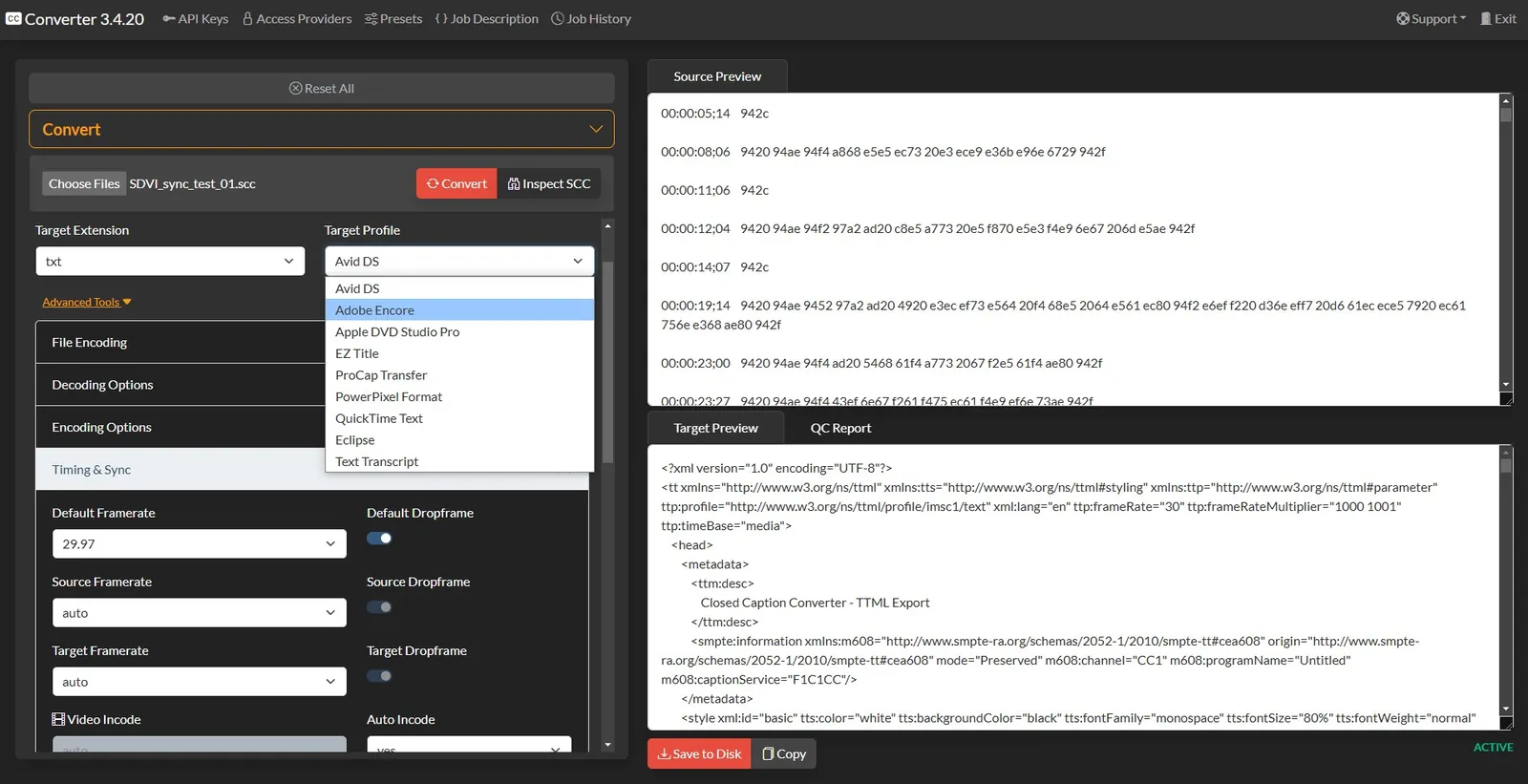
Supports over 30 caption and subtitle formats including SCC, MCC, EBU-STL, IMSC, TTML, WebVTT, and SRT, and is the only tool here that treats conversion as one step in a delivery workflow rather than the whole job. It conforms frame rates, segments and reflows text to target limits, and validates output against a configurable style guide.
An API and CLI are available for automated pipelines, which matters if conversion needs to happen at ingest rather than on someone's desktop. Disclosure: this is our product. See the converter solution page or the full format list.
Use it when the output is going to a broadcaster or streaming platform with a real spec attached.
2. Rev
rev.com/apps-and-tools/caption-converter
Rev's free browser converter takes an SRT and outputs MCC, STL, SCC, QT, VTT, DFXP, and others. It is fast and reliable for what it does, and the format list is more broadcast-aware than most free tools.
The constraint is the input side — it is built around SRT as the source — and there is no validation layer, so you are trusting the conversion without a check on the result.
Use it when you need a common broadcast format out of an SRT and the file is not confidential.
3. GoTranscript
gotranscript.com/subtitle-converter
The widest free format coverage of the browser tools: SRT, STL, SCC, ASS, XML, TTML, TXT, VTT, DFXP, SMI, CSV, SUB, SBV, and LRC in both directions. That input flexibility is genuinely useful when a client sends something unexpected.
No frame rate conforming and no validation, so treat the output as a starting point rather than a deliverable.
Use it when the source format is unusual and you need it in something workable.
4. 3Play Media
3playmedia.com captions format converter
A free browser converter covering the common caption formats, backed by an established captioning services company. Comparable in scope to Rev's tool, with a clean interface and no account required for basic conversions.
Use it when you want a second opinion on a conversion or Rev's tool is not cooperating with your file.
5. ttconv (open source)
An open source Python library and CLI from Sandflow that converts between STL, SRT, TTML, SCC, and WebVTT. New to this list for 2026, and the right answer for engineering teams who want conversion inside their own infrastructure with no third-party upload.
It requires command line comfort and provides no QC layer, but as a dependency in a larger pipeline it is solid and actively maintained.
Use it when you are building your own workflow and want conversion as a library call.
6. Subtitle Tools
Niche but occasionally indispensable. Handles legacy and uncommon formats such as MPL2 and oTranscribe text files that the mainstream converters do not recognise. Output is generally SRT.
Use it when nothing else will open the file.
Which One Should You Pick?
- Delivering to a broadcaster or streaming platform — use a tool that conforms frame rates and validates output. Format translation alone will not survive QC.
- Converting a working file between common formats — Rev, GoTranscript, or 3Play Media, whichever handles your source.
- Building an automated pipeline — an API-backed converter or ttconv, depending on whether you need validation.
- Opening something obscure — Subtitle Tools, then convert onward from SRT.
Whichever you use, QC the output. A conversion that completes cleanly can still produce a file that fails on line length or reading rate, and the point of failure is usually the delivery deadline.
Frequently Asked Questions
What is the best subtitle file converter?
For broadcast delivery, Closed Caption Converter handles the widest format range and is the only option here that also conforms frame rates and validates against a style guide. For a quick one-off conversion between common formats, the free web tools from Rev, GoTranscript, or 3Play Media are sufficient.
Can I convert SRT to SCC?
Yes, but expect losses. SRT carries no positioning, styling, or frame rate information, and SCC is limited to 32 characters per row. Long lines will need reflowing and the converter has to assume a frame rate. Always QC the result before delivery rather than trusting the conversion.
Are free online subtitle converters safe for broadcast files?
For non-confidential content and simple format swaps, generally yes. For pre-release media, uploading to a free web tool means sending the script to a third party. Broadcast workflows also usually need frame rate conforming and validation, which free converters do not provide.
What is frame rate conforming and why does it matter?
Conforming recalculates every timecode when the target frame rate differs from the source, for example 23.976 to 29.97. Without it, captions drift progressively through the program: the opening looks fine and the final act is seconds out of sync. Most free converters skip this step entirely.
Is there an open source subtitle converter?
Yes. ttconv from Sandflow is an open source library and CLI that converts between STL, SRT, TTML, SCC, and WebVTT. It suits engineering teams building their own pipelines, though it requires command line comfort and offers no QC or validation layer.
Which caption format should I deliver?
SCC or MCC for US broadcast, IMSC or TTML for streaming and ATSC 3.0, WebVTT for HTML5 web players, and EBU-STL for European broadcast. Our guide on closed captions vs subtitles vs SDH covers which content type each format is meant to carry.
Need conversion plus conforming and validation in one pass? Try Closed Caption Converter or talk to our team about automating it.