Subtitle Editor Integration: Four Ways to Add Caption Editing
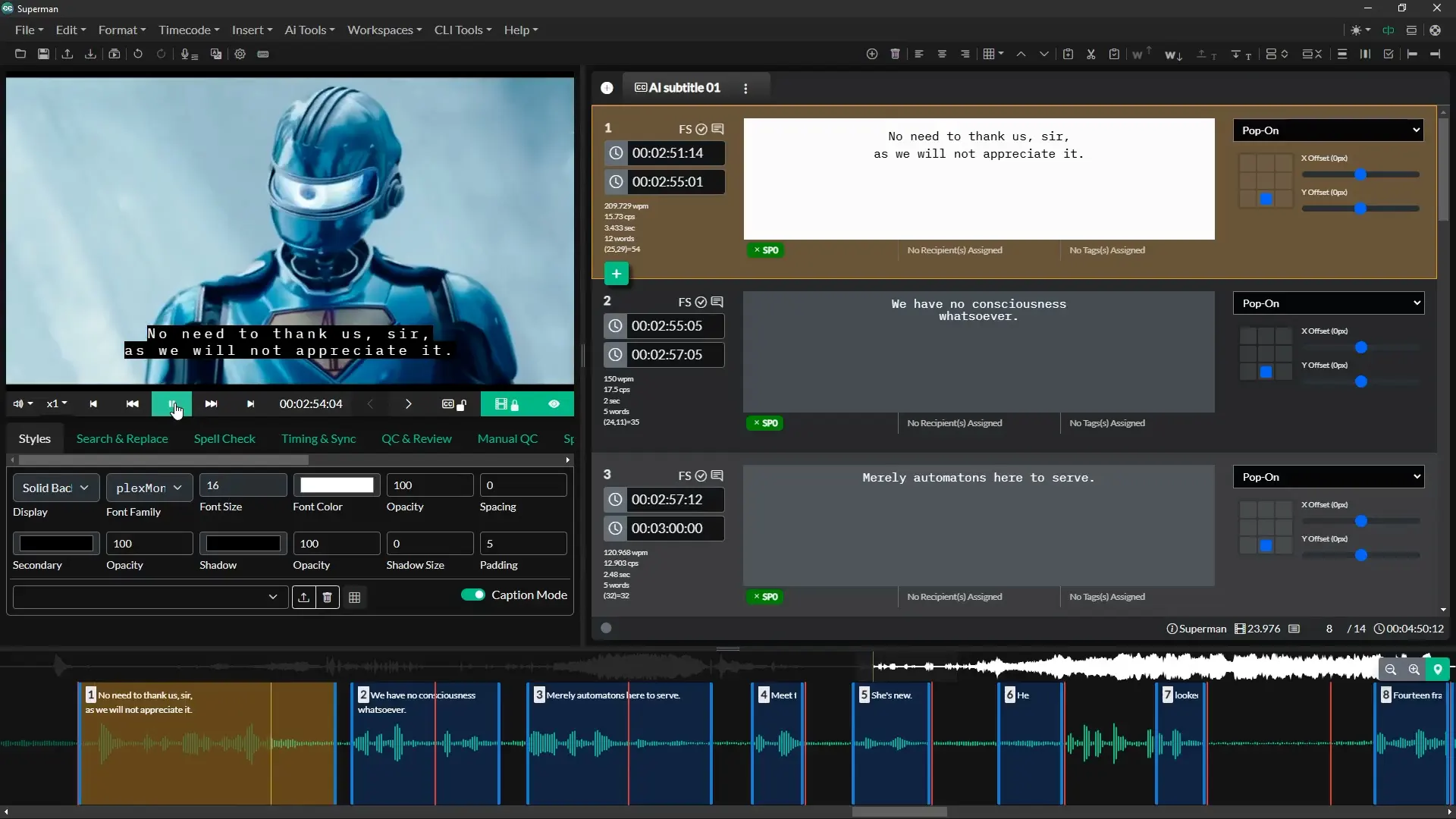
Which integration method should you use to add subtitle editing to a platform?
Match the method to who edits and where. Use an iframe embed when your own users need to edit inside your product, a work order API when a system hands projects to a captioning team, a MAM connector when the media already lives in asset management, and a custom integration when the workflow spans systems none of those reach.
The problem this solves is narrow and common. A platform can already generate captions — from an ASR service, a vendor, or an upstream system — and the output is nearly right. What it lacks is somewhere to fix the output: a frame-accurate editor with real format support, reading-speed checking, and the ability to write back to the right place.
Building that is expensive and never finished. Replacing the whole pipeline with a standalone captioning platform means new logins, a second media library, and re-uploading files that are already stored. Integration is the third option, and there are four shapes it takes.
The Four Integration Options Compared
| Method | Who edits | Dev effort | Media handling | Best for |
|---|---|---|---|---|
| Work Order API | Your captioning team or vendor | Low — a link plus JSON | Referenced by URL | Handing configured jobs to operators |
| IFrame Embed | Your end users, inside your product | Low to moderate — front-end only | HLS, cloud storage, YouTube, Vimeo | Video platforms adding editing as a feature |
| MAM connector | Existing MAM users | None — configuration | In place, read and written back | Teams whose media already lives in a MAM |
| Custom integration | Varies | High — scoped project | Whatever the systems require | Multi-system automation and legacy APIs |
Disclosure: Closed Caption Creator is our own product. The patterns below are general; the specifics are how we implement them.
How to Choose in Three Questions
Most of the decision collapses quickly if you answer these in order.
1. Who is doing the editing?
If the editors are your own customers and must never leave your interface, the answer is an iframe embed. If the editors are a captioning team — internal or outsourced — who work in a captioning tool all day, they do not need your UI, and a work order API is less work for everyone.
2. Where does the media already live?
If it is in a media asset management system with a connector, use the connector; it is configuration rather than development. If it is in cloud storage or served as HLS, any of the methods can reference it. If it only exists behind a bespoke internal service, you are in custom territory.
3. Who owns the finished file?
This is the question most often left until last, and it determines more than the others. A publish destination that accepts an authenticated POST works with the API and iframe approaches directly. A system that only ingests from a watch folder, or requires a proprietary handshake, needs a custom step regardless of how the editing happens.
1. Work Order API: Hand Over a Configured Project
A work order is a JSON description of the job — the media to load, which subtitle tracks and languages are required, and where the result should be published — delivered as a link. The operator clicks it and the project opens fully set up, with the right media, the right track structure, and a known destination.
What makes this the lowest-effort option is that nothing is installed or embedded. Your system generates a URL.
- Imports over 30 subtitle and caption formats, including SRT, VTT, TTML, XML, and JSON
- Media referenced from cloud buckets, YouTube, or Vimeo rather than uploaded
- Track and language structure declared up front, so operators cannot assemble the project wrongly
- Publish destinations securable with basic authentication
Use it when an upstream system knows what work needs doing and a human needs to do it accurately without being briefed. See the Work Order API documentation.
2. IFrame Embed: Editing Inside Your Own Product
For a video platform, LMS, or media portal, the requirement is usually that users never leave. An iframe embed puts the full browser-based editor inside your page, themed to your product.
The part worth understanding before you scope the work is the communication model. The embedded editor does not share a backend or a session with your application — it talks to the host through the browser's postMessage channel, which Closed Caption Creator wraps with PenPal JS to give a two-way interface. Your page can load a project, push an existing subtitle track, ask for current state, and receive the finished file, all client-side.
- No backend work required on your side — front-end integration only
- Over 30 caption formats, multiple tracks and languages
- Media from HLS streams, cloud storage, YouTube, and Vimeo
- Theming to match your product's design
- Your authentication stays yours; the editor is not a second login for your users
Use it when subtitle editing needs to be a feature of your product rather than a tool your users are sent to. See IFrame Embed, or the iframe integration course for developers for a walkthrough.
3. MAM and Orchestration Connectors
If media and metadata already live in a media asset management system, the cheapest integration is the one somebody else has already built.
Iconik
Closed Caption Creator includes a native connector for Iconik — part of Backlight since 2022 — in the Pro version. Subtitle files open directly from the asset and save back to it, with no download and re-upload cycle. Operators can create a new subtitle track from scratch, edit an existing file, run machine translation or automatic captioning across 50+ languages, and work with frame-accurate playback, project sharing, and collaboration intact.
SDVI Rally
For supply-chain orchestration rather than asset management, the same principle applies at the workflow level: the orchestration platform decides when captioning is required and dispatches the job, rather than a human noticing. See the SDVI Rally integration.
Use it when you already run one of these systems. Check for an existing connector before scoping any custom work — configuration beats development every time.
4. Custom Integrations
Some workflows do not fit any of the above: a legacy traffic system, an in-house rights platform, a transmission scheduler with a SOAP API and no documentation. These are normal in broadcast, and they are what custom integration work exists for.
We have built integrations against GRAPHQL, REST, and SOAP APIs, and the pattern that works is almost always the same: identify the one system that is the source of truth for "this asset needs captions", and the one system that is the source of truth for "captions are done". Everything between those two points can be automated. Teams that try to integrate every system at once generally stall.
Use it when the systems involved predate the APIs you would want them to have. See custom integrations or our three-part series on automating closed caption workflows.
Editing Without Moving the Media
The objection that stops most integrations is media movement. Nobody wants to copy a 4K master into a second platform so that someone can fix a mis-timed caption.
None of the four methods require it. Media is referenced rather than ingested — by signed URL from cloud storage, as an HLS stream, from YouTube or Vimeo, or in place within the MAM. The desktop application plays local files directly, so the media never leaves the workstation. Only workflows that need server-side rendering, such as burning subtitles into a video, require the file itself to be processed.
This matters beyond convenience. Not duplicating masters avoids a second copy of content to secure, track, and eventually delete.
Four Things That Go Wrong
Frame rate assumptions
The integration passes a subtitle file and a media reference, and the two disagree about frame rate — usually 29.97 drop frame against non-drop. The file is valid, the editor opens it, and everything drifts. Declare frame rate explicitly in the handoff rather than letting each end infer it. Our guide to drop frame timecode covers why this drifts rather than failing outright.
Format round-tripping losses
An integration that reads SRT and writes SCC will silently discard positioning and styling, because SRT never carried them. Decide which format is canonical in your pipeline and convert outward from it, not between arbitrary pairs. See format support for what each format can hold.
No defined done state
Without an explicit completion signal, files sit edited-but-unpublished and nobody knows the job is finished. Publish destinations and callbacks exist for this; use them from the start.
Authentication as an afterthought
Signed URLs expire. A work order whose media link has timed out is indistinguishable from a broken integration. Set expiry windows against realistic turnaround times, not optimistic ones.
Frequently Asked Questions
Which integration method should you use to add subtitle editing to a platform?
Match the method to who edits and where. Use an iframe embed when your own users need to edit inside your product, a work order API when a system hands projects to a captioning team, a MAM connector when the media already lives in asset management, and a custom integration when the workflow spans systems none of those reach.
Do I have to re-upload media to use an external subtitle editor?
No, if the editor can stream media by reference. Closed Caption Creator loads media from cloud storage, HLS streams, YouTube, and Vimeo by URL, and the desktop application plays local files without uploading them. Only workflows that require server-side rendering need the media moved.
How does an embedded subtitle editor communicate with the host application?
Through the browser's postMessage channel rather than a shared backend. Closed Caption Creator's IFrame Remote uses PenPal JS to expose a two-way interface, so the host can load a project, push a subtitle track, request the current state, and receive the finished file without the two applications sharing a database or a session.
What is a work order in a captioning workflow?
A work order is a JSON description of a captioning job: the media to load, the subtitle tracks and languages required, and where the finished file should be published. An upstream system generates it and hands the operator a link, so the project opens fully configured rather than being assembled by hand.
Can a subtitle editor be integrated with a MAM like iconik?
Yes. Closed Caption Creator includes a native connector for iconik, part of Backlight, which opens subtitle files directly from the asset and writes the result back without a download and re-upload step. A similar pattern applies to orchestration platforms such as SDVI Rally.
Is it cheaper to build a subtitle editor than to integrate one?
Rarely, once frame-accurate playback, format support, and ongoing standards maintenance are counted. The editing interface is the visible part; the sustained cost sits in timecode handling, format round-tripping across dozens of specifications, and keeping pace with changing delivery requirements. Our build vs. buy analysis itemises it.
Scoping an integration? Browse the available integrations or talk to our team.