Event Metrics
Event metrics show how long the selected event is and how fast it has to be read. They use the same calculations as the Info tab in Closed Caption Creator, so the numbers match.
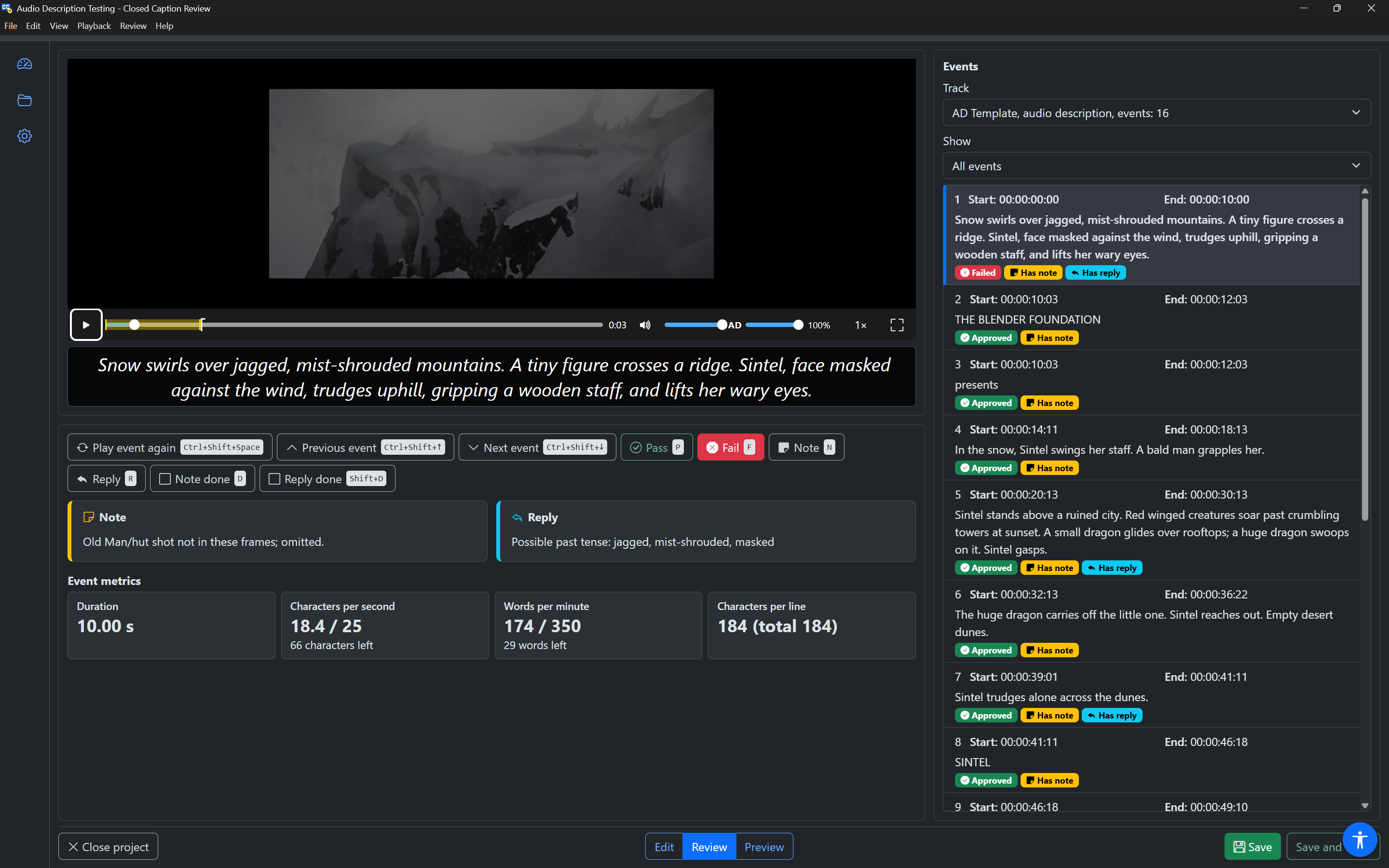
They are shown:
- in Review mode, under the Note and Reply cards;
- in Edit mode, in the Event panel.
The metrics are information only. They have no Tab stops, so they never slow you down while reviewing. Screen readers read them in browse mode under the Event metrics heading, each name followed by its value.
The four metrics
| Metric | Example | Meaning |
|---|---|---|
| Duration | 10.00 s | How long the event is on screen, in seconds. |
| Characters per second | 18.4 / 25, 66 characters left | The reading speed, and the track's maximum. Below it: how many more characters would fit at the maximum. |
| Words per minute | 174 / 350, 29 words left | The reading speed in words, and the track's maximum. Below it: how many more words would fit. |
| Characters per line | 42, 37 (total 79) | The number of characters on each line, and in the whole event. |
The maximums come from the track's settings in Closed Caption Creator. When a track has none, the defaults are 20 characters per second and 160 words per minute.
When an event reads too fast
When an event is over the maximum, the line under the value says how far over, for example "12 characters over" or "8 words over", with a warning icon. The words make it clear without relying on colour.
To fix a fast event, you can make it longer (move its end later, or its start earlier) or shorten its text in Edit mode, or fail it and write a note for the editor.
If the event has no start or end time, Duration and the reading speeds show a dash.