Key Names and Phrases (KNP) Management
The Key Names and Phrases (KNP) system in Closed Caption Creator is a team-level terminology management feature designed to ensure consistency across captioning and localization projects. When teams work on series or episodic content, it becomes critical that proper nouns, character names, brand references, and other recurring terms are handled the same way by every contributor — regardless of who is working on the project at any given time.
KNP Guides serve as shared glossaries that live alongside your team account. Each guide defines a list of terms along with their correct spellings and, where applicable, approved translations into other languages. Once a guide is in place, it can be referenced at any point during the workflow: while authoring captions, while reviewing translations, and even while submitting jobs to AI transcription services.
How KNP guides improve your workflow
KNP Guides address two distinct problems. The first is human consistency — making sure that every captioner and translator on the team uses the same approved form of a name or phrase rather than introducing variations. The second is AI accuracy — by supplying a KNP guide when submitting an Automatic Transcription job, you give the AI provider a set of known vocabulary items that it should prefer, which measurably reduces word error rate for specialist terminology, proper nouns, and uncommon phrases.
Availability
KNP Guides are available to team account holders. If you are working under an individual account, you will need to join or create a team before KNP features become accessible. Admin and Manager roles within a team always have full access to all guides. Other team members see guides based on group-based permissions configured by an admin.
Where to access KNP tools
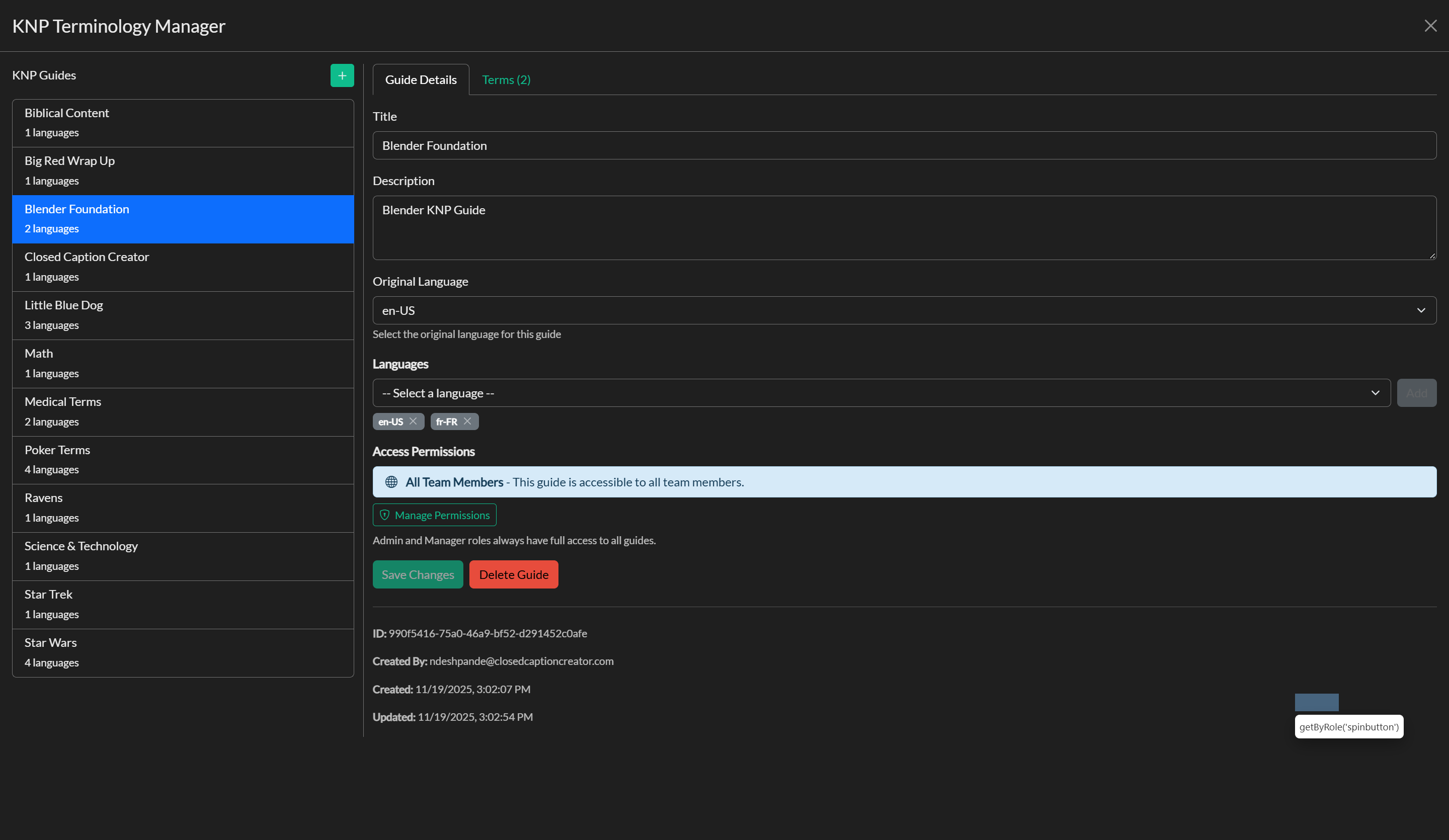
There are two ways to work with KNP content inside Closed Caption Creator. The KNP Terminology Manager is a full-screen editor accessible from the Edit menu, and it is where guides are created, configured, and populated with terms. The KNP Terminology Lookup panel is an in-context side panel available in the main toolbar, giving translators and captioners quick access to terminology without leaving the editor.
Video tutorial
In this section
The following pages walk through each part of the KNP workflow in detail:
Creating a KNP Guide covers how to set up a guide, configure its languages, and manage which team groups have access to it.
Managing KNP Terms explains how to add, edit, and organise terms within a guide, how to use the Terms tab in the KNP Manager, and how to work with the Lookup panel during a project session.
KNP and Automatic Transcription describes how to apply a KNP guide when submitting an AI transcription job to improve accuracy for known terminology.