Captions vs. Subtitles
Video Tutorial
Closed Captions and Subtitles
Closed captions and subtitles serve related but distinct purposes. Closed captions are designed primarily for accessibility and are intended for viewers who are deaf or hard of hearing. In addition to spoken dialogue, closed captions include non-speech audio cues such as sound effects, music indicators, and speaker identification. Subtitles, on the other hand, are designed to convey spoken dialogue — most often for translation purposes or for viewers watching content in a second language.
Closed Caption Creator supports both workflows within the same application. When you create a project, you can choose to work in Closed Caption mode or Subtitle mode depending on your delivery requirements.
Closed Caption Mode and Subtitle Mode
By default, every new project opens in Closed Caption mode. You can switch between the two modes using the toggle located in the bottom-right corner of the Styles tab in the QuickTools Panel. The toggle is identified by the closed-caption badge icon and is labelled Closed Captioning Mode.
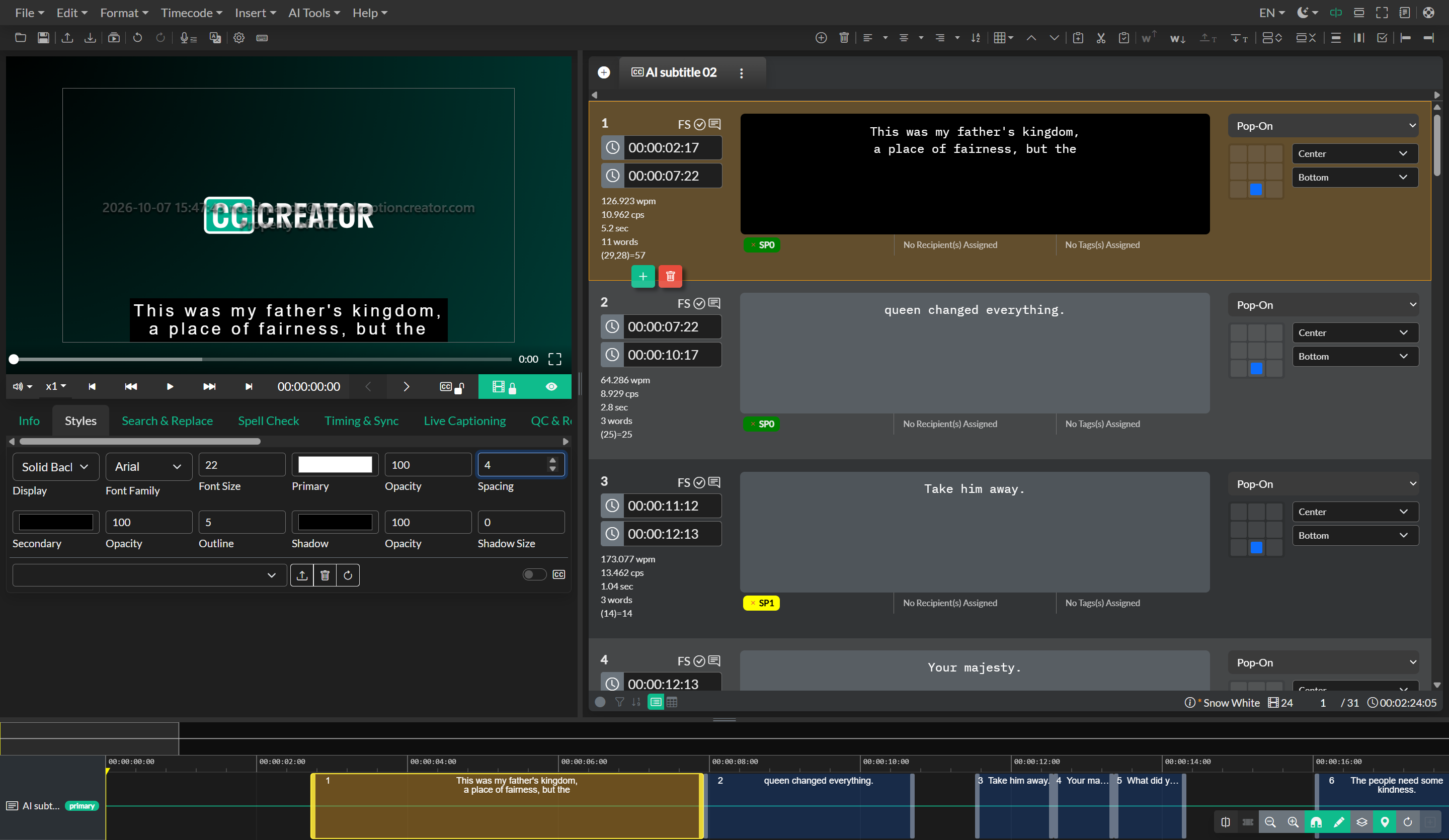
In Closed Caption mode, the subtitle preview is automatically configured based on your Display Settings. The font is set to a monospace typeface, and the font size is calculated automatically from the display grid dimensions you have defined. This ensures that caption text fills the character grid accurately and that positioning is consistent with broadcast standards. Manual style controls are hidden in this mode because the display is governed entirely by the grid system. For teletext and EBU-STL workflows, you can also enable Teletext Spacing in Display Settings so the preview accounts for colour and background control columns.
In Subtitle mode, the full style controls become available in the Styles tab. You gain independent control over font family, font size, primary text colour, text opacity, background or outline colour, background or outline opacity, letter spacing, outline size, and text shadow. This mode is intended for projects where the visual presentation of subtitles matters — such as social media videos, streaming content, or branded productions.
Style Settings and Export
The style settings configured in the Styles tab have no effect on the content of sidecar caption files such as SRT, SCC, or WebVTT. Those formats carry their own formatting constraints, and not all of them support colour, font, or size metadata. The Styles panel is specifically applied when exporting video with burnt-in subtitles (open captions) or when generating image-based subtitle sequences. In both cases, the preview you see in the editor is an accurate representation of what the exported output will look like.
When working in Closed Caption mode and exporting a standard caption file, the style controls are intentionally absent because the rendering is determined by the end viewer's playback system and caption decoder — not by the authoring tool.