Email Notifications
Email notifications help teams monitor asynchronous work (AI jobs, team updates, and handoff events).
Prerequisites
- You are signed in online.
- Your user profile exists and is accessible in your cloud account.
Navigation paths
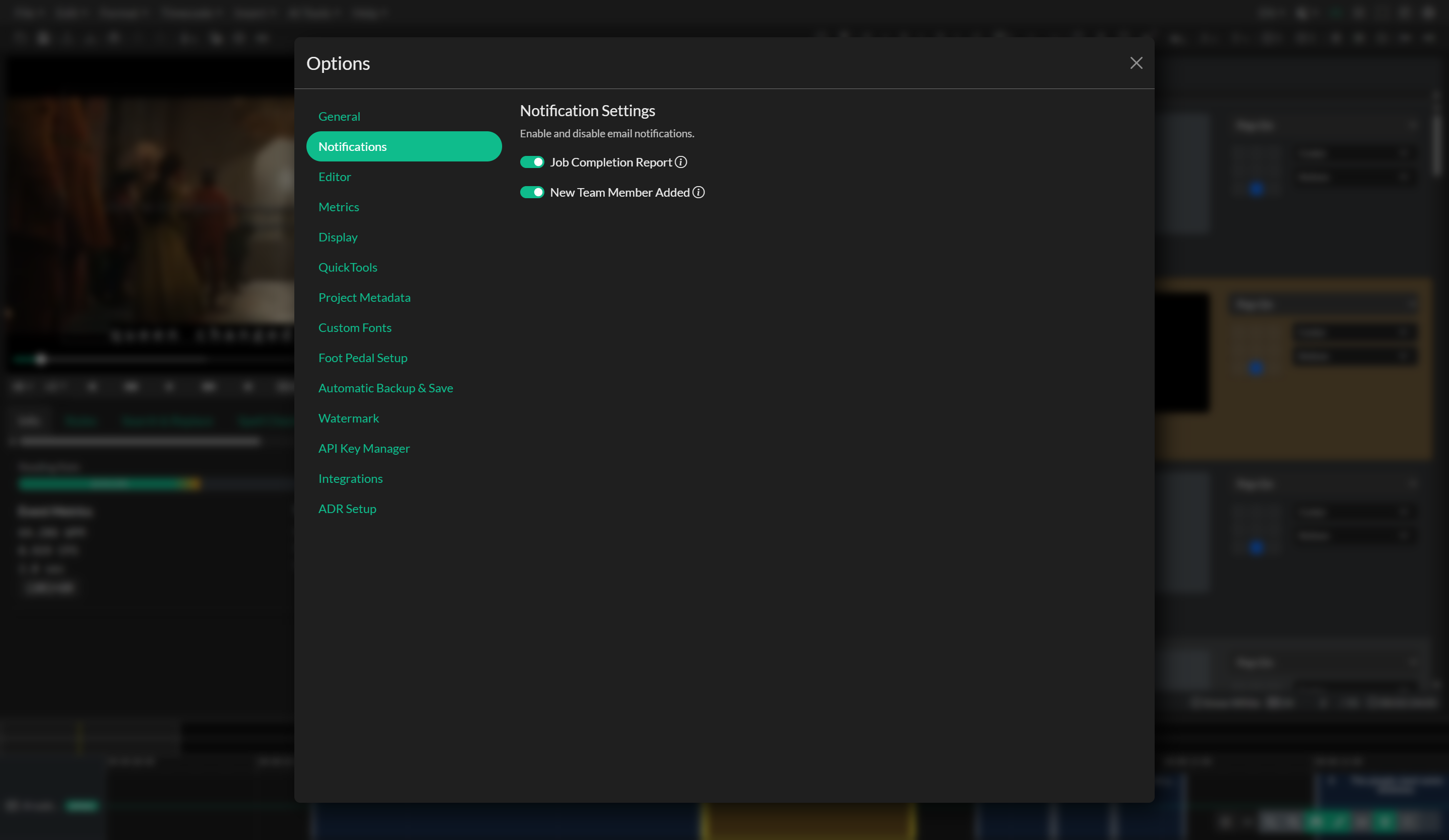
Edit > Options > Notifications
Workflow 1: Configure notification preferences
- Open
Edit > Options > Notifications. - Set notification toggles for relevant workflow events, including:
- job completion/update notifications,
- team update/member notifications.
- Wait for each toggle update to complete before switching again.
Validation checks
- Toggle state persists after closing and reopening options.
- No errors are shown when updating preferences.
Workflow 2: Use notifications in production workflows
- Enable job notifications for AI/transcoding/export waiting periods.
- Enable team notifications for collaborative handoffs.
- Align notification settings with your shift/handoff model.
Workflow 3: Assignment notification emails
When assigning a project in Storage Explorer, Closed Caption Creator can prompt you to send an email to the assigned user. The prompt includes a Don't ask me again option. If you send the email with this option enabled, future assignments are sent automatically. If you skip the email with this option enabled, future assignment emails are suppressed.
This preference is stored as part of your notification settings. Assignment emails are only offered when a project is assigned to a user; clearing an assignment does not send an email.
Validation checks
- Expected email updates arrive for enabled categories.
- Team members receive only relevant updates for their role.
Best practices
- Keep notifications enabled for asynchronous, long-running workflows.
- Reduce noise by disabling categories that are not part of your current delivery cycle.
Troubleshooting
Notification toggles do not save
- Re-open options and retry after network stabilizes.
- Confirm user profile document exists and is writable.
Notifications are missing for completed jobs
- Verify the corresponding notification category is enabled.
- Confirm account email and sign-in context are correct.
Too many emails during team projects
- Disable non-essential categories during intensive collaboration windows.